
- Computer Assisted Drafting
- FOR MIDDLE SCHOOL STUDENTS
- Bath Middle School
- 118 School Street
- Bath, New Brunswick
- E7L 2W3
- Canada
Subjects: Technology Education, Mathematics, Social Studies (Geography and History)
Learning Levels: Grades five, six, seven, and eight
Project Description: Grade 5-8 students will acquire introductory skills in computerized drafting. In fields ranging from architecture and design to plant design and mapping, professionals the world over depend on drafting software for design, modeling, drafting, mapping, rendering and management tasks.
Figure A Figure B
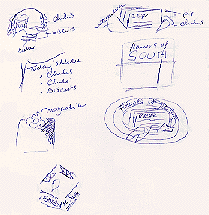
If you were a construction technologist and had to build a building, which drawing would you choose to help you do your job? Note that in "Figure A", the sketch is very difficult to understand whereas "Figure B", which is a computer generated drawing, is much clearer. Turn ideas like "Figure A" into computer assisted drawings like "Figure B".
All of us have great ideas - some even great or ingenious ones. But how do great ideas become a reality? What is the process that technologists and engineers go through in order to make a new product, tool, machine, or building a reality? Let's see if we can go through these processes.
The following are objectives for student learning:
- 1. Develop abilities in sketching through practice and guidance in a class setting.
- 2. Explore the elements of two-dimensional (2D) and three-dimensional (3D) design.
- 3. Develop a perception for the concepts of spatial relationships between views of an object.
- 4. Explore the idea of length, height, and width through dimensioning.
- 5. Examine the application of other specialized techniques like rendering, mapping, and plotting.
- 6. Realization that Computer Aided Design or "CAD" design performs an essential role in the development of ideas in technology and vital to the world of industry.
- 7. CAD can be thought of as a “universal language” as people of different nations may understand it because it is graphical.
The project will be pursuing curriculum outcomes for drafting for the Province of New Brunswick It is also intended that students will go through units of sketching, manual drafting (examining the advantages of "CAD"), conventions used in drafting like dimensioning, and exploration of using a drafting program which will be AutoCADLT 2000. We will go beyond the requirements of the current technology curriculum. Therefore assessment will be done throughout the course of the students' exploration and development of skills utilizing the drafting program. Rubrics will be a key in setting standards for students.
| Standards |
- In the province of New Brunswick, our curriculum outcomes in drafting is “to provide an introductory module to Industrial Technology I for boys and girls at the Junior High Level (now Middle School level). This will help students to communicate their ideas clearly and concisely through the use of graphics, and involves thinking, planning, and developing these thoughts in graphic form.” Some specific outcomes according to our standards in the province are:
- 1. list the three views of an orthographic drawing
- 2. give dimensions of each view
- 3. convert objects into three view drawings
- 4. make use of hidden lines
| Situations |
- The teacher will ensure that classroom instruction is on-going. When students reach their zone of proximal development teachers will have to be prepared to step in and help so that their students do not lose their interest. Teaching computer skills, setting goals and directions for assignments within the parameters of the project are also essential. The majority of technological work will be done in groups of ten to fifteen students.Teachers will guarantee equal time for students on computers to complete their assignments.
| Interactions |
- 1. AutoCADLT® 2000
- 2. Pentium-based computers with Windows 98, Windows 95, or Windows NT 4.0 platforms with 32 MB RAM and at least 73MB free hard disk space
- 3. Plotter
- AutoCADLT homepage
- http://www3.autodesk.com/adsk/section/0,,149112,00.html
- Orthograhic Drawing Templates
- http://www.penn.com/basd/fretz/teched/Orthgrid.pdf
- Isometric Drawing Templates
- http://www.penn.com/basd/fretz/teched/isogrid.pdf
| Considerations |
It is intended that this web site will be a continuous work of progress. This site will eventually accommodate some Flash 4 applications with some samples of drawings. It is an objective to make AutoCADLT® 2000 easier and less intimidating for students. This will require more exploration so that students are not overwhelmed by this powerful program.