| Digital Works Resource Centre |

| |||
 free program download additional
parts purchase
digital works support
email free upgrade
new resource centre home free program download additional
parts purchase
digital works support
email free upgrade
new resource centre home
"after evaluating many logic simulation tools we decided that Digital Works was definitely the best for our students." W. John
Monroe
"a superb product which I use with all my computer architecture students." Tery
Anstey
"we are very impressed with Digital Works. It's a simple, terrific program...just the thing we need!" Bo
Nilsson |
Digital Works 3.04 is a
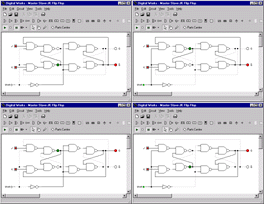
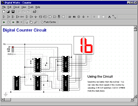
graphical design tool that enables you to construct digital logic circuits
and to analyse their behaviour through real time simulation. Its
intuitive, easy to use interface makes it the ideal choice for learning or
teaching digital electronics. You can even prototype simple digital
electronic circuits before you actually build them.
You can download a free, fully functional evaluation copy of Digital Works for Windows 95, 98 and NT 4 from here. The Parts Centre The Parts Centre offers a convenient way of embedding new components into your circuit. Digital Works refers to these type of components as ‘macros’. Simply select the required macro from the Parts Centre window, hold the mouse button down and then drag the part into the main circuit workspace. You can then start wiring up the macro like you would any other Digital Works object. One of Digital Works most powerful features is the ability to create your own macros and add them to the parts centre. For example: counters; shift registers; decoders; multiplexers; digital ICs. You can download lots more free Digital Works parts from here. Key Features
|
|