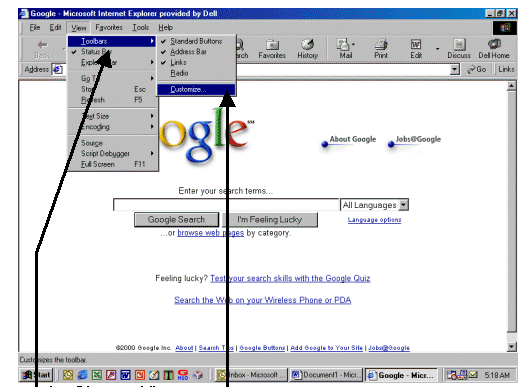
1. Choose View
2. Choose Toolbars
3. Choose Customize
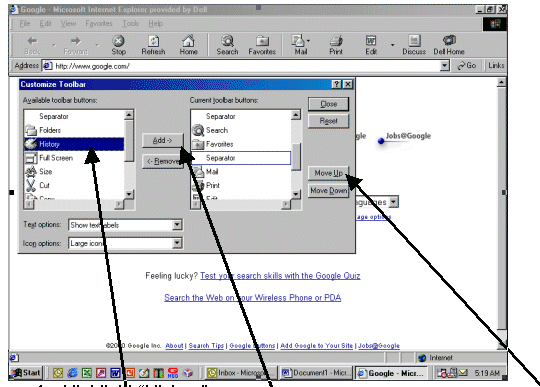
4. Highlight "History"
5. Choose Add
6. History should appear on the toolbar
7. If you want it in a different place on the toolbar, choose "Move Up"
or "Move Down"
8. Choose Close