Ellen's Virtual Notebook: Week 3
Adding Images and Graphics

This is an example of an image without a border. It is aligned to the left using the align="left" value.
This time the image has a size 5 border and is centered using the <center> </center> tag set.
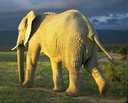
This image has a size 5 border and is aligned to the right using the align="right" value.
Click on the elephant for more free government images from Gimp Savvy.
To offer comments and suggestions click the following link: Crazy About HTML
Week One
Week Two
Week Four
Back to index