 circled in red (see pic above).
You should now see (see pic below)
Tools needed
The Elder Scrolls Dependency Tool Kit
Direct Download Link Click Here Java Runtime Environment required
The J2SE Java Runtime Environment (JRE)
Direct Download Link Click Here
FlashFXP
Direct Download Link Click Here
Where to get mods
Morrowind Summit
Most mods will work with this how too find one you like and download it
For this how too we will be using Clearbounty mod
If you wish to follow along using the ClearBounty mod Click Here to download it
We should now have everything we need to get started
Step 1: Extract the tools, mod/s you've downloaded to your desktop and install the Java Runtime Environment and FlashFXP if you've had to download them.
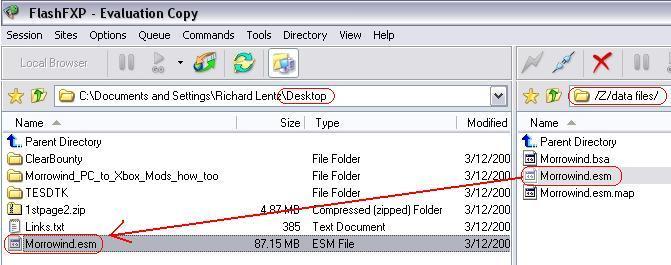
Step 2: Now we need to connect to the xbox using FlashFXP or whatever FTP client you chose to use.
Once your connected navigate to /Z/data files/ or /Y/data files/ and transfer "Morrowind.esm" to your desktop (see pic below)
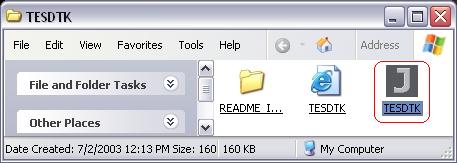
Step 3: Close FlashFXP and open The Elder Scrolls Dependency Tool Kit "TESDTK" (see pic below)
Once opened you should see (see pic below)
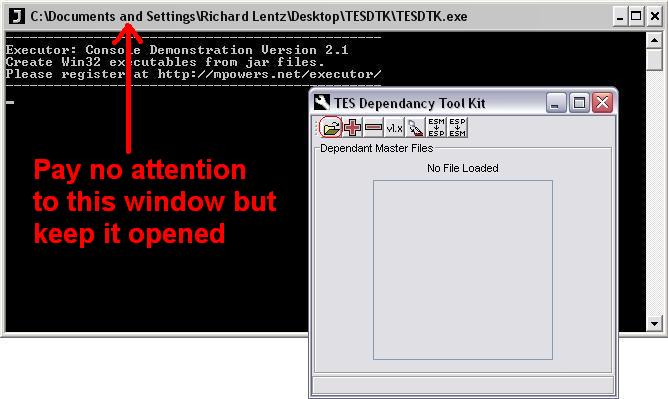
Step 4: Now that we have "TESDTK" opened click circled in red (see pic above).
You should now see (see pic below)
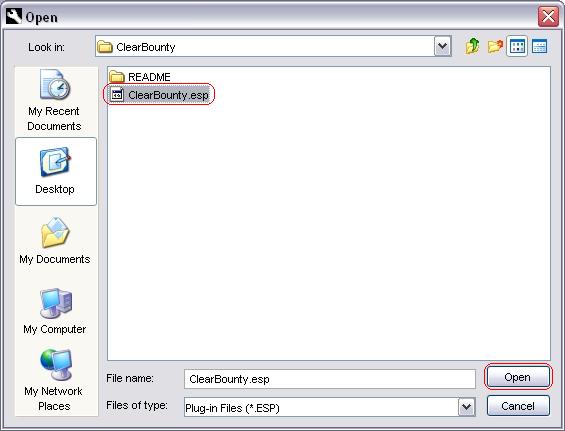
Navigate to your mods directory in this how too it would be /Desktop/ClearBounty/
Select your mod and click  (see pic above)
Step 5: Make sure there are no check boxes checked then click  circled in red (see pic below)
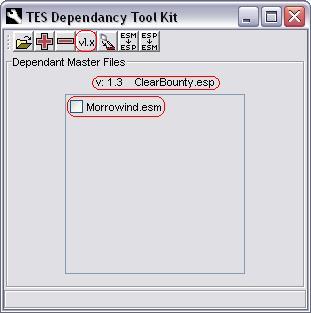
you should now see (see pic below)
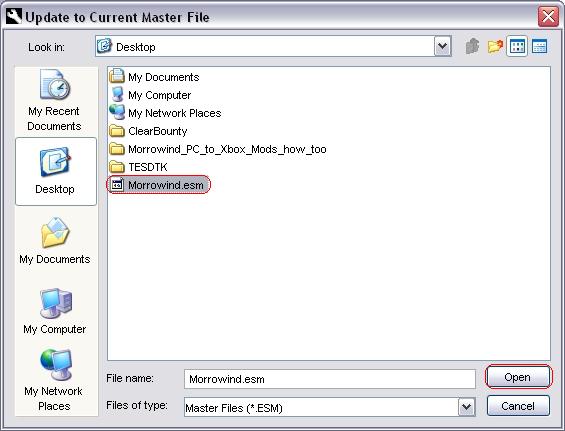
Navigate to your desktop and select "Morrowind.esm" and click (see pic above)
Step 6: Click  circled in red (see pic below)
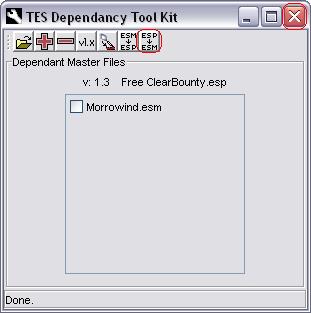
You can now close "TESDTK" and navigate to the "TESDTK" directory (see pic below)
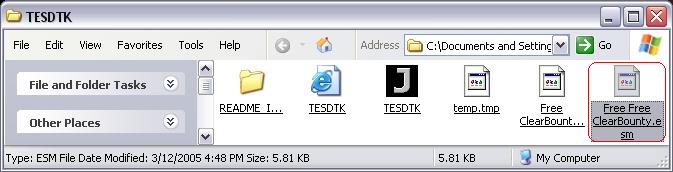
The converted mod has been renamed to "Free Free ClearBounty.esm" (see pic above)
we need to rename it so that the "Free Free" is not in it "ClearBounty.esm" (see pic below)
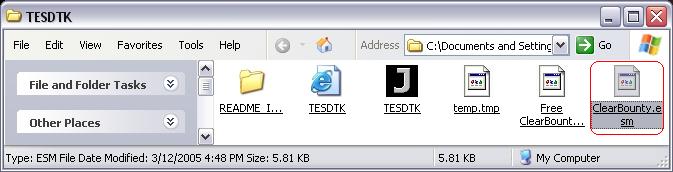
Step 7: FTP back to your xbox and navigate to the same directory you got "Morrowind.esm"
Transfer "ClearBounty.esm" from your "TESDTK" directory to the xbox (see pic below)
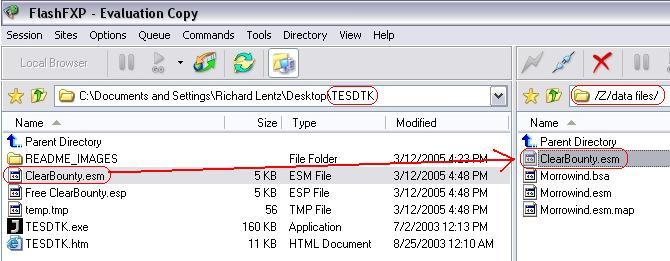
you can now close your FTP client when transfer completes
Step 8: There is no step 8
Just launch your game and have fun remember to read your mods readme as they contain details of where items might be and what not.