| Japanese |
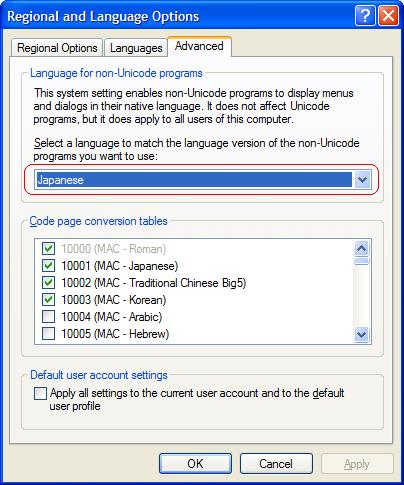
| If Japanese / Chinese text appears all wrong in your PC , though you've installed the needed software, the solution is to go to the "Control Panel" and choose "Regional and Language Options" and in the "Advanced" tab, choose "Japanese" or "Chinese" ( as per your needs ) as outlined in red in the image below and click the "Apply" button. ( You might have to reboot your machine. ) |
 |

|