Port Settings
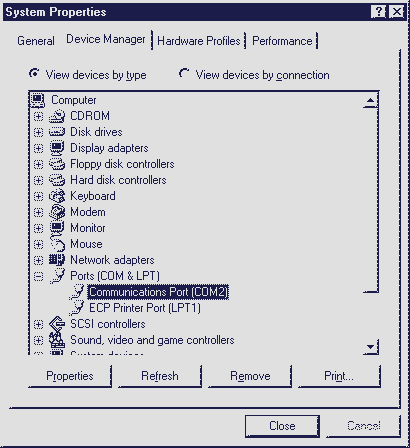
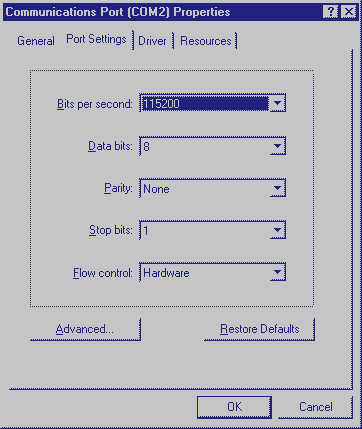
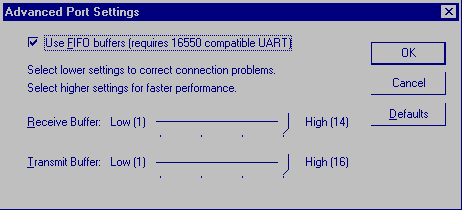
What Set the maximum speed of your modem port to an optimal value. Why Speed up buffering of data between your modem and your modem port. This enables your modem to retrieve information faster. 1. Right click My Computer 2. Click Properties 3. Click Device Manager 4. Click Ports 5. Double Click the appropraite Com port. 6. Click Port Settings 7. Click Bits per second and change it to 115200 8. Click Flow Control and change it to Hardware 9. Click Advanced 10. Make sure Use FIFO buffers should be checked. 11. Click and drag the Receive and Transmit Buffers. Set the slider all the way to high. 12. Click Ok.