File system tweak 95/98
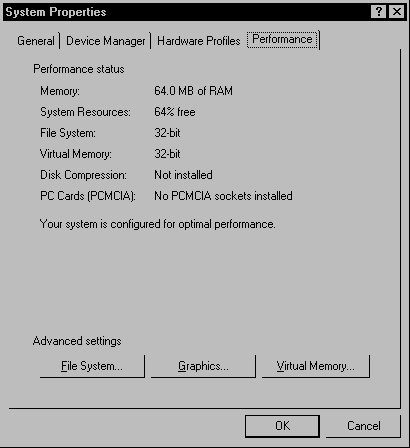
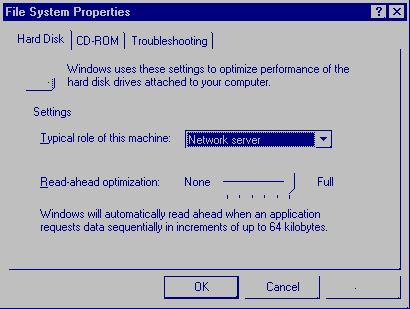
If your PC has more than 16MB of RAM, change the Typical role of this machine to Network Server. Increase the size of the file and directory cache. This results in increased speed when accessing the hard disk. 1. Right click my computer. 2. Click Properties. 3. Click Performance. 4. Click File System. 5. Click the arrow next to Typical Role of this machine and select Network server. 6. Click and drag the Read-ahead optimization slider all the way to full. 7. Click OK. 8. You must restart your computer before the new settings will take effect. Do you want to restart your computer now? Click Yes.