Disk cache 98
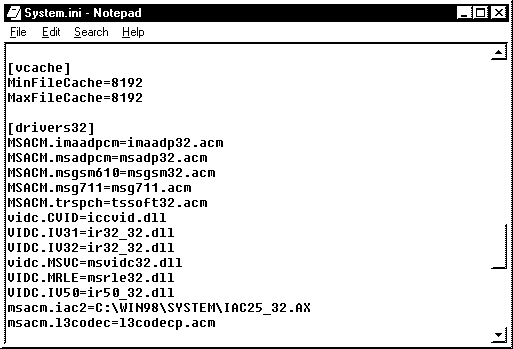
What Modify the minimum and maximum memory size for the Windows 9x 32bit disk cache. Why Windows reserves all memory not in use for disk caching but loading additional applications will cause the disk cache to shrink and enlarge. Manually setting the size of the disk cache can improve efficiency. How Note: Remember RAM allocated to the cache cannot be used by applications. 1. Load Notepad 2. Open C:\Windows\System.INI 3. Search for [vcache] section 4. If you do not have this section add the following lines to system.ini 5. [vcache] MinFileCache= MaxFileCache= Note: MinFileCache is the minimum amount of RAM of the disk cache and MaxFileCache is the maximum amount of RAM of the disk cache. 6. The more RAM you have the higher your should make these settings. 7. Some recommended settings to try: a) If your PC has 16MB RAM set min to 1024(1MB) and the maximum to 4096(4MB) b) If your PC has 32MB RAM set min to 2048(2MB) and the maximum to 6144(6MB) c) If your PC has 64MB RAM or more set min to 4096(4MB) and the maximum to 16384(16MB) d) If your PC has 128mb RAM or more set min to 4096(4MB) and the maximum to 32768(32MB). 8. Different configurations benefit from different settings. For example, if you keep ten applications open most of the time and if your applications do not require heavy use of the hard disk a lower setting could be better.