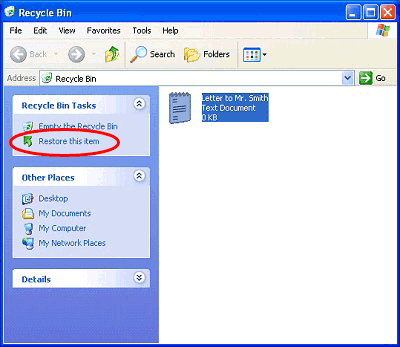
2. Locate the file you want to restore and click it once with the left mouse button to highlight it.
3. On the left hand side under Recycle Bin Tasks click Restore this item.
4. Your new file will now be returned to its original location on your computer ready to be used.