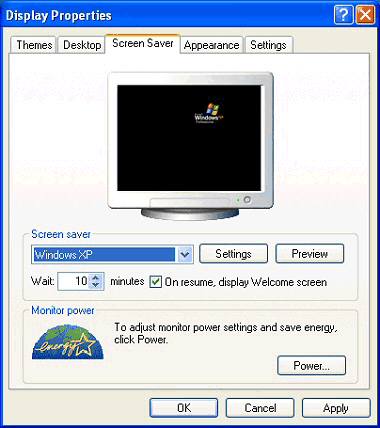
2. Click on the Screen Saver tab at the top of the �Display Properties� box (Fig. 1).
3. Use the drop-down list in the Screen saver section to choose from the available screen savers. When you select one you�ll see a preview in the monitor.
4. You can adjust the settings by clicking the Settings button.
5. Now set the time in minutes you want Windows� to wait before turning the screen saver on.
6. Click Apply then OK.