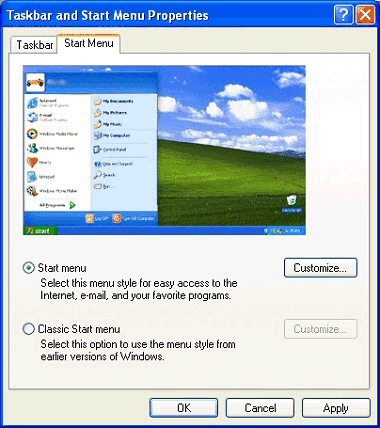
2. The Taskbar and Start Menu Properties screen is displayed. Click the Start Menu tab.
3. You now have a choice. You can use the Windows� XP Start menu by selecting �Start menu�, or you can use a Windows� 95, 98, Me style Start menu by selecting �Classic Start menu�.
4. Next to each selection you will see a Customize button. Click this button to select what items appear on your Start menu, or clear your �Recent Documents� history.