2. On the next screen select Change the sound scheme under Pick a task�
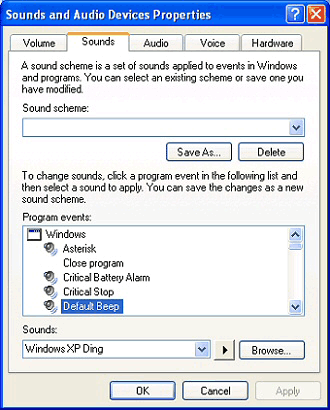
3. The Sound and Audio Device Properties box is now displayed. Select the Sounds tab (Fig. 1).
4. Choose a task you want to set a sound for in the Program Events list.
5. Under Sounds click Browse to find the sound file you want to use. Press the Play button to preview it.
6. When you are done click Save As to save your new sounds as a Sound Scheme. Click Apply then OK to finish.