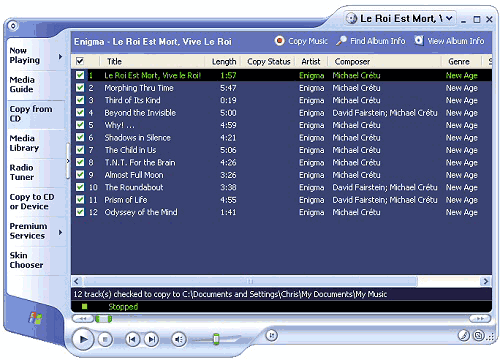
2. You will see the tracks listed (with titles if Media Player was able to download information from the Internet). Media Player will copy all tracks by default, or you can choose not to copy tracks by removing the tick next to each one in the list.
3. When you are ready click the red �Copy Music� button at the top of the Media Player screen.
4. Your CD is now copied to the My Music folder in My Documents. You can listen to the CD while it is being copied.