
Copyright 2003 Christopher Roger Mangundjaja
<--------------------------------------------------------------------------------------------------------------------------------------------------------------->
THE SYSTEM
To run the program under Linux : ./Fireworks.
To compile under Linux : g++ Particles2.cpp -o Fireworks -lglut -lGL.
The Particle System is a Fireworks explosions on rooftops during a festival, so they have moving decorations on the rooftops. The Decorations are attached to a slider where it allows the decorations to move horizontally and all the obstacles are behind the fireworks explosion.The program allows you change the mass of the decorations, one of the decoration shape (oval or circle), the mass of the fireworks, add a wind in any directions and reduce the air resistance. By changing many of the system properties, you can see the effect it produces to the system.The system has a randomize function that will set the initial velocities of the fire works. So it will not always be the same.
The Particle System is developed from the Particles_2D code made by Geoff Leach. Most of the sphere collisions came from that code, but modified it to 3d and by adding projectiles equations. The balloon, ray, sparks and the sky textures are all made by me using Photoshop7.
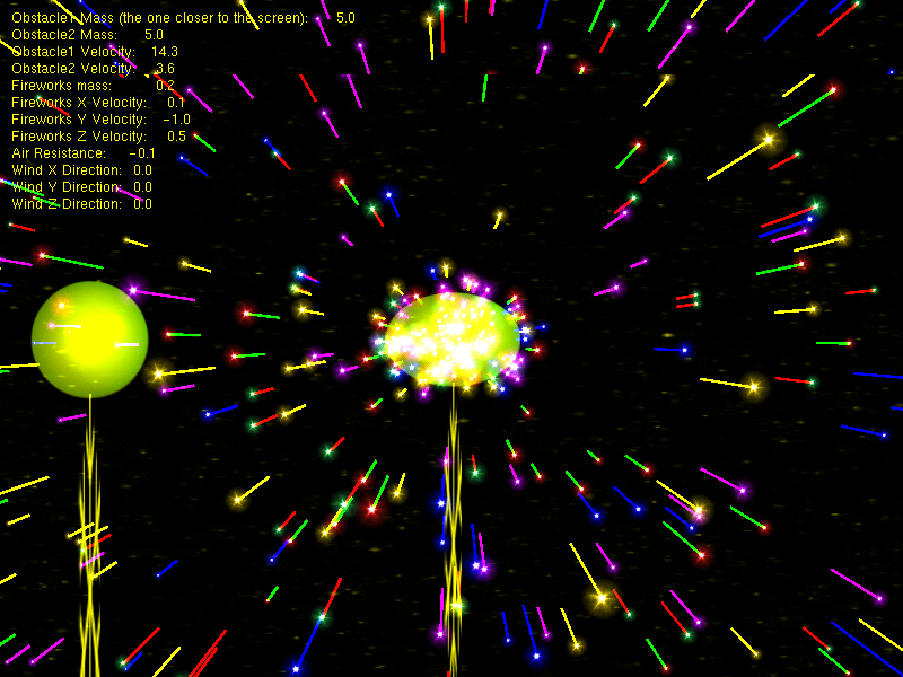
The image is taken when the system is running under windows, P4 2.4GHZ, 768 ddr using GeForce4 Go with 50+ fps, 800 particles
The Keys:
x : add wind in x positive direction (right of the screen).
X : add wind in x negative direction (left of the screen).
y : add wind in y positive direction (up the screen).
Y : add wind in y negative direction (down the screen).
v : add wind in z negative direction (to inside the screen).
V : add wind in z positive direction (to outside the screen).
a : decrease the air resistance.
A : reset the air resistance to normal.
r : reset the system.
b : choose the first (the one closer to the screen) obstacle type (circle or oval).
g : reset the positions of the obstacles to 0 and tongles on or off for the second obstacle.
m : increase the mass of the fireworks.
M: reduce the mass of the fireworks.
n : increase the mass of the first obstacle.
N : reduce the mass of the first obstacle.
h : increase the mass of the second obstacle.
H : reduce the mass of the second obstacle.
ESC : Exit the system
PHYSICS AND COLLISIONS DETECTION
The equations that I used for this particle system are the projectile motion equations:
y - yo = vy * t + 0.5 * g * t * t
x - xo = vx * t
The laws of projectiles mentioned that the horizontal velocity of the object is constant while the vertical velocity undergo constant acceleration due to gravity. In order to make this equation worked in 3d, I added another velocity in the z direction. Since z is basically the same with x (both have the same height), I calculated the vz the same way I calculated the vx of the particles. The final result is the particle will move according to the strength of vx, vz and vy (the net velocity).
vy = vnet * sin(a)
vx = vz = vnet * cos(a)
To simplify things I have made assumptions that the angles produced as the result of the fireworks explosions are always the same. But the initial net velocity is always randomized.
Another assumption that I made is the way the wind behaves. Wind is basically just a force that will push or pull the fireworks. So I calculated the effect of the wind by adjusting the vx, vz and vy velocities of the particles directly.
The same idea also applies for the air resistance. The higher the air resistance the slower the vy of the objects (in this case the particles). So in the system I have made so the air resistance will only effect the vy components of the particles.
For the collisions detection, I used the kinetic energy equations:
v1f = (((m1-m2)/(m1+m2))*v1i) + ((2 * m2)/(m1+m2))*v2i
v2f = (((m2-m1)/(m1+m2))*v2i) + ((2 * m1)/(m1+m2))*v1i
To expand it to 3d I calculated the vx, vy and vz components of the particles separately (by using the above equations).
The collision detection is done by using bounding sphere for 3d circle obstacles and bounding box for oval obstacle. For the particle itself I just use their coordinates to calculate the collision with the oval obstacle(this obstacle is using bounding box) since is not noticeable (the motion of the particles do not curve like when it hit a circle type obstacle) and it speeds up the framerate and for collision between particles and circle obstacle I used bounding spheres since this type of collisions are noticeable.
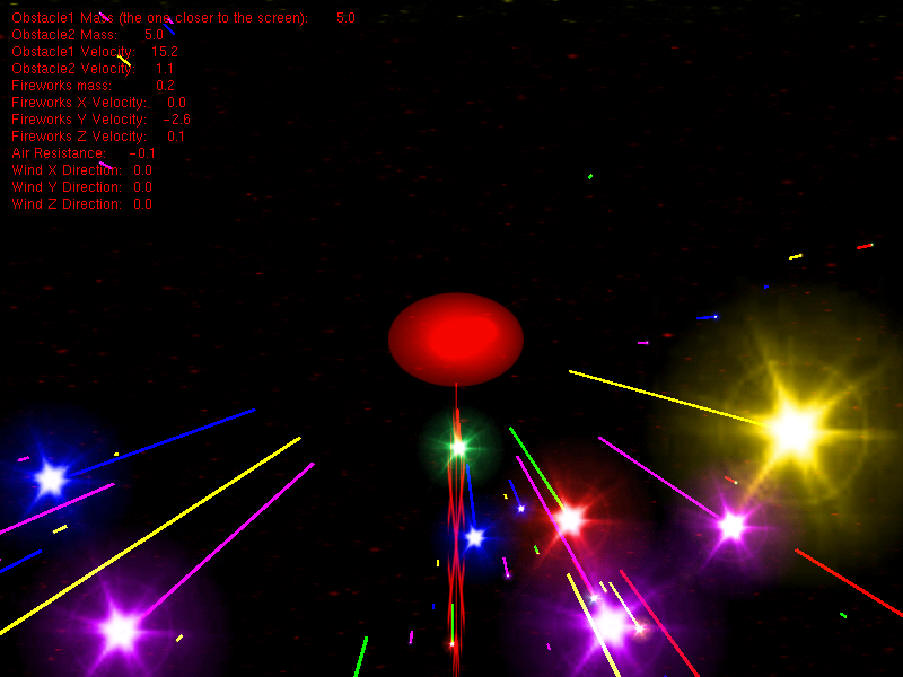
The image is taken when the system is running under windows, P4 2.4GHZ, 768 ddr using GeForce4 Go with 50+ fps, 800 particles
The fireworks, The obstacles are just textured quads combine with alpha blending. Although they are 2d but they worked in 3d (since the z velocity and distance and radius are calculated).
For the fireworks tail I used gllines. The fireworks are also using changing textures and colours to give the impression they are blinking with different colours.
For the background(not very clear in the screenshots) I used texture quad to give the impression of background sky.
In order to improve the peformance of the system I used display lists mainly for the fireworks, This really gave a boost in the peformance of the system. Without display lists the average framerate when running under windows dropped to 45+ fps, while with display lists it increased to 50+fps.
KNOWN ISSUE
If the velocity of the obstacles are really fast it will sometimes get stuck on the right or left of the screen and it would not move back. The way to solve this is just to reset the system.
REFERENCES
Real Time Rendering Lecture notes
<-------------------------------------------------------------------------------------------------------------------------------------------------------------->
Last Modified : Date: 2003/08/28 23:59:11
Author: cmangund
<-------------------------------------------------------------------------------------------------------------------------------------------------------------->