 |
|
|
|
|
|
|
|
|
|
|
|
|
|
|
|
|
|
|
|
|
|
|
|
|
|
|
| CRAZY ANTZ REPORT |
|
|
|
Copyright 2003 Christopher Roger Mangundjaja
S2178403E
|
|
|
|
I. MODELLING THE ANT
|
|
|
|
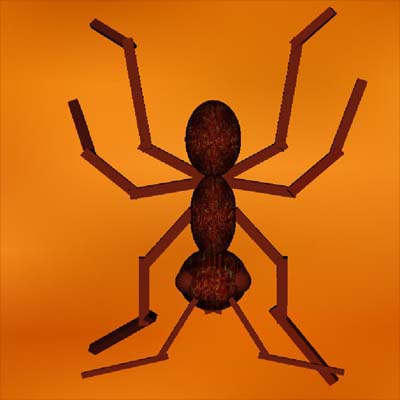
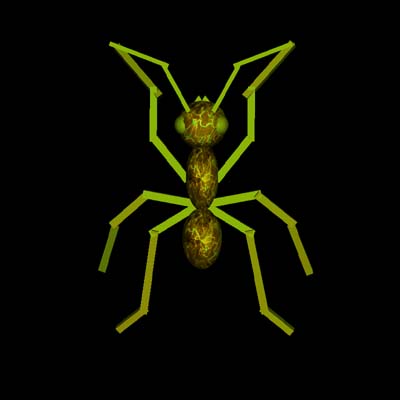
I modeled three types of antz using primitives spheres and stretched cubes: the Scout, Patrol and Supply antz.
|
|
|
|
 |
|
|
|
 |
|
|
|
|
| Left : The Red Scout/Patrol Ant (Good Ant). Right : The Green Scout/Patrol/Supply Ant (Bad Ant) |
|
|
|
 |
|
|
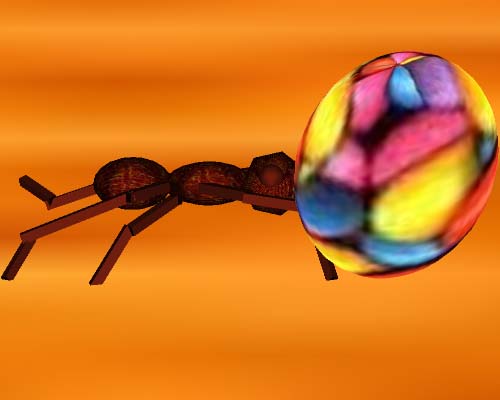
| The Purple Suply Ant(Good Ant) |
|
|
| The antz is made of three body parts(head, stomach, tail). The antennas, eyes and the mouth are attached on the head part. The antenas have two joints where the upper part can move from left to right and vice versa. The mouth consist of two solid cubes that are rotating to a certain degree that mimics the movement of an ant's mouth. |
|
|
| The front and middle feet are attached to the stomach. The back feet is attached to the tail. All of the feet that are attached to the stomach consist of three joints where the middle and the last part can move. The degree of movement of the middle part are less than the last part. The back feet also has three joints but only the last part can move. All of these movements combine together to mimic the movement of an ant's feet. |
|
|
| Below is the hierarchy of the ant model : |
|
|
 |
|
|
To make the antz model more realistic I added a lighting effect and texture to all of the antz's body parts. The glMaterialfv(GL_FRONT, GL_SPECULAR, specular) and glMaterialfv(GL_FRONT, GL_SHININESS, shine) have made the antz shiny. These are the values that I used to create the ant's shininess.
GLfloat specular[] = { 10, 1.0, 1.0, 1.0 };
GLfloat shine[] = { 30 };
GLfloat lightpos[] = { 1, 1.0, 1.0, 1.0 };
glMaterialfv(GL_FRONT, GL_SPECULAR, specular);
glMaterialfv(GL_FRONT, GL_SHININESS, shine);
glLightfv(GL_LIGHT0, GL_POSITION, lightpos);
I created the textures using Photoshop 7.0 and saved it as a .raw texture files. Then I loaded the texture files into open gl using a loader function and bind them with the spheres by using glBindTexture ( GL_TEXTURE_2D, tex[0] ) with the array of type GLuint to store all the textures that I used and GLUquadricObj* q = gluNewQuadric ( ) which is a pointer used for the quadric object(spheres, disk) and to attach the textures to these objects. Below are the textures parameters and mipmaps that I used with w and h are the width and height of the textures and rbitmab is a pointer of type GLubyte which is used when allocating memory for the textures with rbitmap = (GLubyte *) malloc ( w * h* d* ( sizeof(GLubyte)) );.
glTexParameteri ( GL_TEXTURE_2D, GL_TEXTURE_MAG_FILTER, GL_LINEAR );
glTexParameteri ( GL_TEXTURE_2D, GL_TEXTURE_MIN_FILTER, GL_LINEAR );
glTexEnvf ( GL_TEXTURE_ENV, GL_TEXTURE_ENV_MODE, GL_MODULATE );
gluBuild2DMipmaps ( GL_TEXTURE_2D, GL_RGB, w, h,GL_RGB, GL_UNSIGNED_BYTE, rbitmap );
|
|
|
| I used two type of animations : Keyframed and calculated. Keyframed animations are used when the ant is doing a short walk which is activated by the user (only at certain point in the animation). Calculated Animation is used for the more complex animations such as runing and taking the food, attacking other antz and patrolling the territory. |
|
|
|
II. ANIMATION
|
|
|
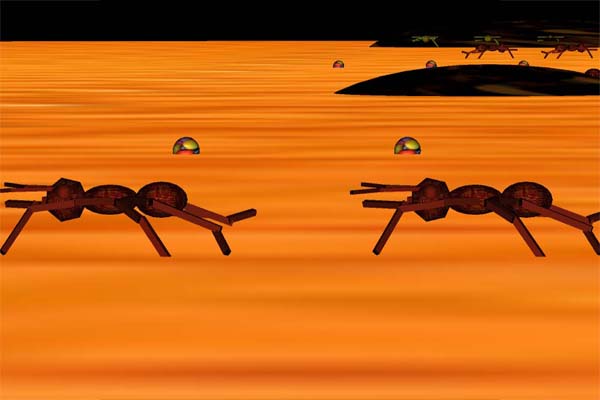
| The environment is a wood textured disk, textured and streched sphere for the ant's nest and a textured sphere for the foods. |
|
|
 |
|
|
| Red antz patrolling the border(Good Ant) |
|
|
I used the following to specify the rotation of the antz's feet and antennas and mouth with the modified keyframed animation source code from Nigel to allow the movement of the antennas as well and move forward (I added variables that will keep track the ant's coordinate on the table ant and to make the antz move forward) .
typedef struct { float time; float value;float v ;} keyFrame;
static keyFrame antena[] = {{0.0, -200,0}, {0.1, -170,0}, {0.2, -160,0}, {0.3, -150,0}, {0.4, -140,0},{0.5,-130,0},
{0.6,-120,0},{0.7,-130,0},{0.8,-140,0},{0.9,-150,0},{1,-160,0},{1.1,-170,0},{1.2,-180,0},{1.3,-200,0} };
static keyFrame feet[]={{0.0, 0,0}, {0.1, 10,0}, {0.2, 20,0}, {0.3, 28,0}, {0.4, 20,0},{0.5,10,0},{0.6,0,0},
{0.7, 10,0},{0.8, 20,0}, {0.9, 28,0}, {1, 20,0},{1.1, 10,0},{1.2,0,0},{1.3,10,0},{1.4,20,0}}; |
|
|
| The reason I used calculated animation is because it is easier for the program to implement a random walking distance and direction for the antzs or in other words random food distance and location with relative to the antzs. If I used keyframed animation I can only specified a fixed distance and direction (based on the time) from the antzs to the foods while if you calculate the animation, it does not depend on the time (you don't care on what point in time does this rotation or translation take place). |
|
|
| I focused more on the detail of food collecting animation such as the antzs really taking the food piece by piece which can be seen in detail. And the food size it self reduced as more and more antzs chew and take the food apart. When the foodsize has decreased the last two supply antzs will carry the food to their nest. |
|
|
 |
|
|
| The method that I used to do the more complex animation is by specifing paths for the ants (path for each ant type). The paths can be altered by supplying different distance and rotation values to be used with these paths. I copied the paths for different ants of the same type but with different distance and rotation values. Since the distance and location of the food is randomize I used variables to keep track of them. The scout antzs will go out first and confirm the location of the food and call the supply antzs. |
|
|
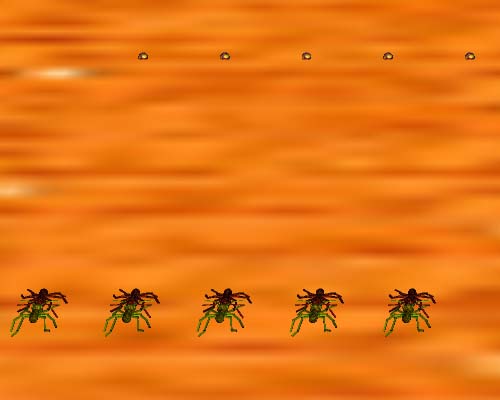
| When the animation starts the green patrol antzs are charging the red patrol antzs to get the food scattered near the Red antz's nest. The time needed for them to fight is randomize. And the red antz's dead body is just another ant that cannot move, I rotated the ant to the left a bit to give the impression that they are dead and at certain time it will restart (the fighting animation). |
|
|
|
 |
|
|
|
Green supply antzs carrying the last food (bad antz) |
|
|
|
 |
|
|
| Red and Green Patrol antzs battle for the foods with the Green antzs charging first to the Red antzs |
|
|
|
III. USER CONTROLS
|
|
|
|
The following key bindings are used : |
|
|
1: Reset camera (Bird's eye view)
i: zoom in
o: zoom out
Tab: Tongle between windowed or fullsize screen
w: Press and hold to see the walking animation
d: Press to make the ants do a short walk. works only when the patrol ants are walking away from their nest and when they are not very far from their nest
Arrow Keys: Camera navigation
s : Start or stop the animation
Esc : Exit the antz world
r : Rotate camera up
R : Rotate camera down
v : Rotate camera left
V : Rotate camera right
m : Change between wireframe or solid
M : Change between smoothshaded or flatshaded |
|
|
Reseting the camera is achived by changing all the cameras values back to its original values. moving and zooming the camera is achived by changing these values :
glMatrixMode(GL_MODELVIEW); //for camera movements
glLoadIdentity();
glTranslatef(-20,-20,-400);
glTranslatef(d,e,a);
glRotatef(r,1,0,0);
glRotatef(r1,0,1,0);
I also added the help popup menu feature that is displaying all the key assignments when the user clicks the right mouse button. |
|
|
|
IV. REFERENCE
|
|
|
| Tricks Of The 3D Programming Gurus By Andre Lamothe |
|
|
_______________________________________________________________________________________________________________
That's all about my antz. I like to improve the antz program, adding more features but don't have the time because of other assignments. |
|