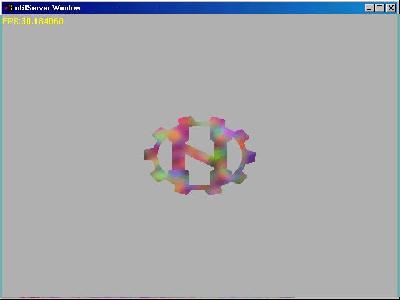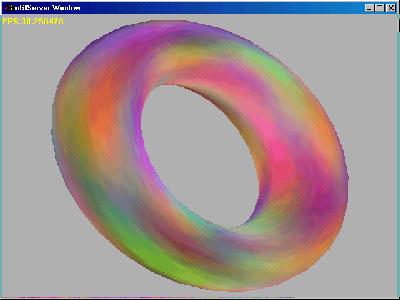
Tut3: Getting the SceneGraph to render a 3D model
Howdy! today we'll take a look at the core of nebula's high level rendering process : the SceneGraph. The objectives of this tutorial are to give ya a basic understanding of how the scenegraph works and how to render a Textured 3d model. It's good to read \nebulasdk\doc\spec\coding_tutorial.txt" before this one cause it explains what i'm gonna explain here better ;); some of its classes are a bit outdated, but their funcionality remains the same.
Some theory
The scenegraph is
the object responsable for handling the rendering process ;you
can only render high level models and etc through the scenegraph
(or throug a vertex buffer, but it is WAY harder, so...).
Nebula's rendering process is heirarchie oriented and so objects
are contructed in a - guess what? - hiearchie.
What i mean by objects is not 3d models, but tree nodes
containing render info:
n3DNode contains transformation info. It is the center of the render info: it is the only object you need to attach(more on this later).
nMeshNode is a Mesh(heh) ready to be rendered: contains Vertex pos info, tex coords,etc.
nTexArrayNode contains textures to be used by nShaderNode
nShaderNode uses the nTexArrayNode and private render states to supply the Surface visual proprieties.
there are a lot other nodes,but they are irrelevant to this tut just look in code\inc\node ....
The hierarchie we're going to set is this one:
usr - clean dir
\trans1 - n3DNode - main object of our mesh
\mesh1 - nMeshNode - mesh containing geometry
\shader1 - nShaderNode - the shader
\texture1 - nTexArrayNode - object containing our texture
The rendering process
The scenegraph renders nodes, but how do we tell it what nodes
you want to render? - You attach them. Between the gfx->BeginScene()
and gfx->EndScene() you'll have SceneGraph->BeginScene()
and SceneGraph->EndScene(). SceneGraph->BeginScene()
returns a nSGNode, which is a currently free node in
SceneGraph's node pool.You pass it down to the n3DNode object
through Attach(). It will fill that nSGNode with its positional
information and if it has any ,for example, nMeshNode children it
would pass the nSGNode pointer down to them so they would fill
the mesh data.nTexArray node fills texture data,etc. When you
call SceneGraph->EndScene() it happens a number of things:
Compute() is called on each node. Compute() can do a number of
things: for n3DNode it does the transform phase, for nMeshNode,
if the object hasnt yet been loaded, it loads,etc.Then it happens
the light phase,which isnt of much interest to us yet, the sort
phase,which sorts the object blocks in a way to reduce render
state changes (pretty cool huh? :)) and then the render phase in
which everything is passed to the renderer...
Had enough theory? Lets get to practice! ;)
This time i'll just present here the new parts of code...
new includes & objects:
#include <gfx/nscenegraph.h>
#include <node/n3dnode.h>
#include <node/nmeshnode.h>
#include <node/nshadernode.h>
#include <node/ntexarraynode.h>

n3DNode *TNode = 0l;
nMeshNode *Mesh = 0l;
nShaderNode *Shader = 0l;
nTexArrayNode *TexArray = 0l;
in the init loop, after creating everything:
   SceneGraph =
      (nSceneGraph *)Kernel->New("nscenegraph","/sys/servers/sgraph");
   // create the scenegraph
   TNode = (n3DNode *) Kernel->New("n3dnode","/usr/trans1");
   Mesh = (nMeshNode *) Kernel->New("nmeshnode","/usr/trans1/mesh1");
   Shader = (nShaderNode *) Kernel->New("nshadernode",
      "/usr/trans1/shader1");
   TexArray = (nTexArrayNode *) Kernel->New("ntexarraynode",
      "/usr/trans1/texture1");

   // create our objects just like regular nebula objects
   // take a look on where goes the heirarchie

   Shader->SetNumStages(1);
   Shader->SetColorOp(0, "mul tex prev");
   // simple texturing, only one render stage

   Shader->SetLightEnable(false);
   // disable lights or our model will be all black
   // cos we're not gonna set up lights

   TexArray->SetTexture(0, "texture.bmp", NULL);
   // set texture file to be loaded(in compute() i think)

   Mesh->SetFilename("Box.n3d");
   // set mesh file to be loaded(in compute())
   // feel free to change the file's name
   // get some at data\texdemos\meshes\
the comments speak out for themselves <grin>
in the main loop , between gfx->beginscene()&gfx->endscene():
(clean out the existing code between them except the FPS counter)
   Gfx->BeginScene();
   rangle+=0.2f; // increase rotation angle
   ViewMatrix.ident();
   // set the view to the identity
   // there are alot of cares we do not need now (like inverting the view matrix)
   // cause were only gonna setup a single mesh, not
   // a big world

   TNode->Txyz(0,0,0);
   TNode->Rxyz(df,df*0.5,df*0.75);
   TNode->Sxyz(0.25f,0.25f,0.25f);

   // Set the T info (position) , the R (rotation) and S(scaling)
   // so that it can build a matrix for the transformation
   // phase

   // create a nSGNode & get it from BeginScene
   nSGNode *sgn;

   if((sgn = SGraph->BeginScene(ViewMatrix)) != 0)
   {
      TNode->Attach(SGraph,sgn);
      // only attach the n3DNode, cos it will pass the
      // nSGNode to its children
      SGraph->EndScene(); // call compute(), light, transform, render.
   }

   // put here the fps counter
   Gfx->EndScene(); // end rendering loop
in End(), just saferelease all our interfaces & our objects
this was the hardest tutorial on the current 3 (LOL)... but it is worth it!
see if you can use inputmapping to change the object's orientation,
position and scale ;)
I would like to thank floh and leaf for
their support :)
bye ... ChicoZe