Outlook Express
| Help and Support | Pop Mail |
Outlook Express
Go to Start Menu and select Outlook Express.
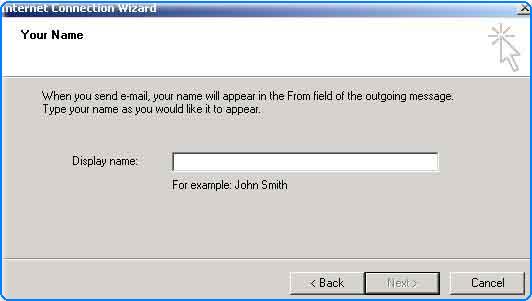
Type your name when Internet Connection Wizard appear then click Next.
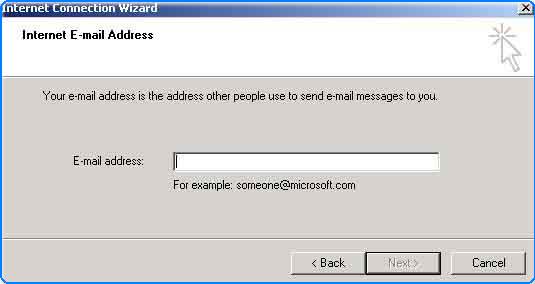
Type your email address and click Next.
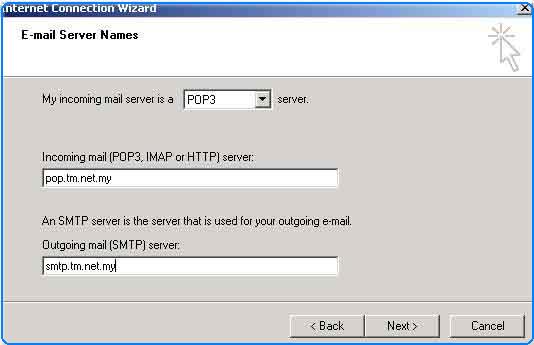
Type your email server (POP3 & SMTP) then click Next.
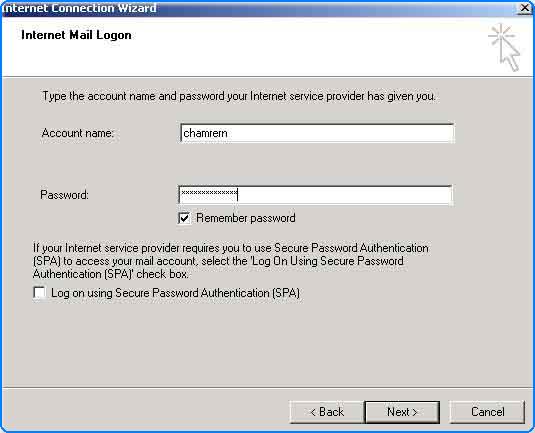
Type your account name and password to access your mail box.
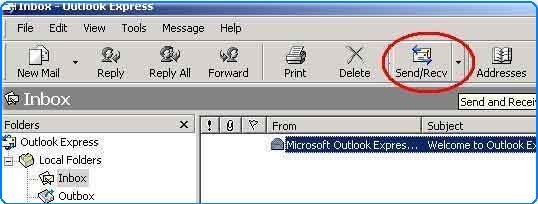
Click Send/Receive button to send or retrieve your mail from server.
Copyright © 2002. All right reserved.