| Help and Support | Format |
Format Disk Using Windows
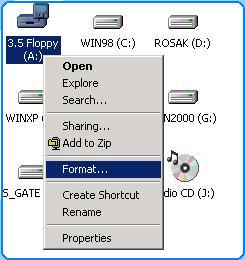
 Click My Computer on desktop
and select Drive A with click right mouse.
Click My Computer on desktop
and select Drive A with click right mouse.
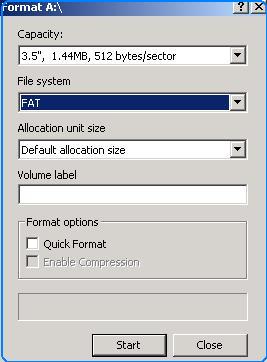
 Select Format
and click Start.
Select Format
and click Start.
Format Disk Using Dos
Insert Start Up
Disk into Drive A and
Restart your computer.
Or go to Start
Menu, select Programs,
Accessories and MS-Dos / Command Prompt
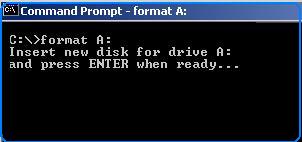
 Type format a:
and then enter.
Type format a:
and then enter.
Format PC
Insert Start
Up Disk Windows 98 into Drive A and
then restart your PC and select
choice no 2.
Or hit key F8
when starting windows 98 and select Command Prompt.
Type
format c:/s/q for format all files with quick and copy system files when finished.
Copyright © 2002. All right reserved.