 Add
/ Remove Program
Add
/ Remove Program
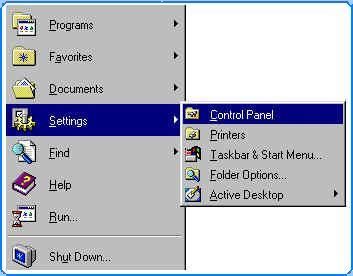
 Click Start, Setting and select Control
Panel.
Click Start, Setting and select Control
Panel.
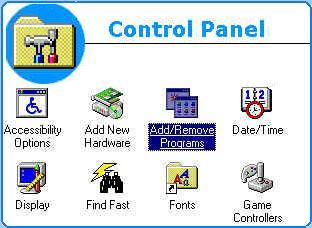
 At Control Panel click
on Add/Remove Programs..
At Control Panel click
on Add/Remove Programs..
 Add / Remove Programs
Properties will be appear and select on Install/Uninstall.
Add / Remove Programs
Properties will be appear and select on Install/Uninstall.
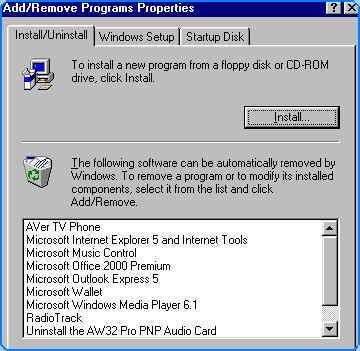
Select software /program and click Add/Remove button to remove program from your computer system. Follow the instruction.
Copyright © 2002. All right reserved.