
FTP client -flashfxp
X3 BIOS
(im not going to go in depth an tell how to use it i think its common sense just play around with it)
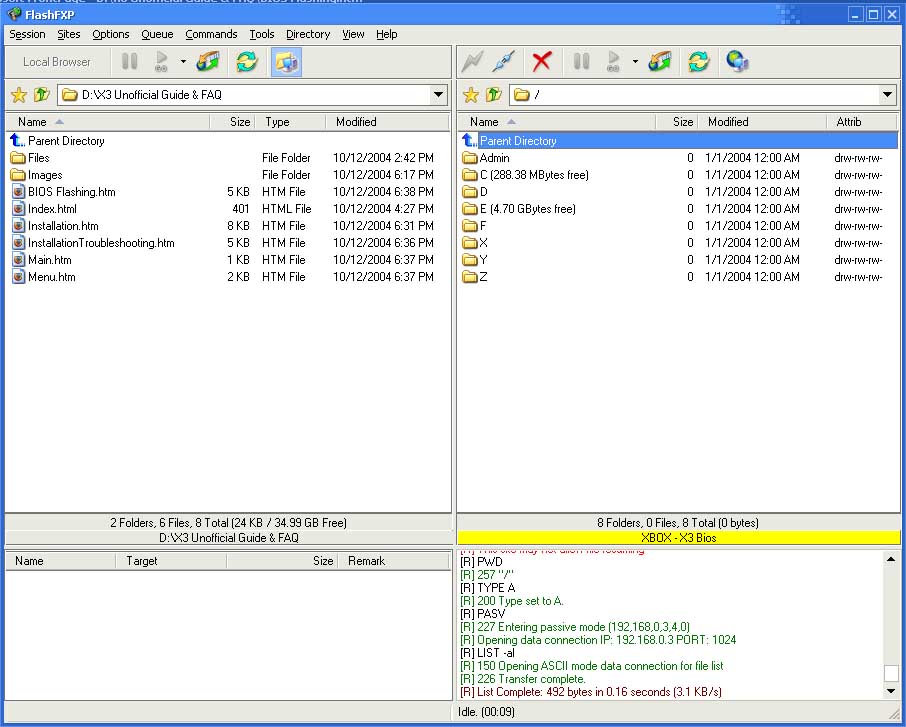
Second go into Ftp client and connect to your xbox
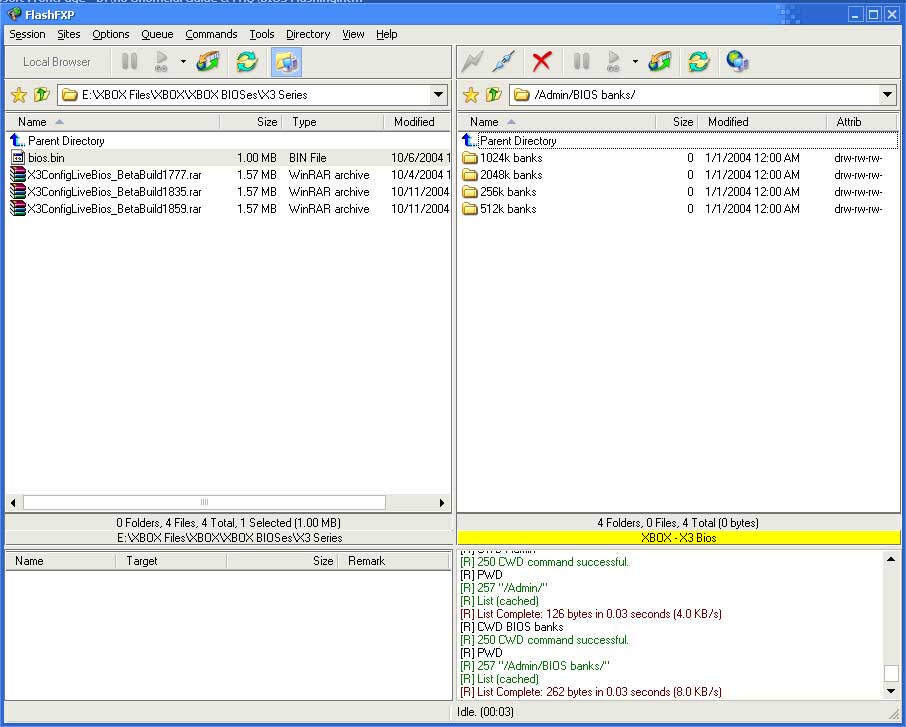
Third fo to the admin folder
|
|
|
|
|
|
|
|
|
|
|
|
|
|
|
|
|
|
|
| How to Network Flash the X3 using FTP | ||||||||||||||||||
| Software needed: FTP client -flashfxp X3 BIOS |
||||||||||||||||||
| You need a Ftp Client and FlashFXP is a very popular one. (im not going to go in depth an tell how to use it i think its common sense just play around with it) |
||||||||||||||||||
|
||||||||||||||||||
| First start the xbox and have it to go Config live Second go into Ftp client and connect to your xbox Third fo to the admin folder |
||||||||||||||||||
|
||||||||||||||||||
| Then Open the folder of the size of the BIOS you plan one flashing | ||||||||||||||||||
|
||||||||||||||||||
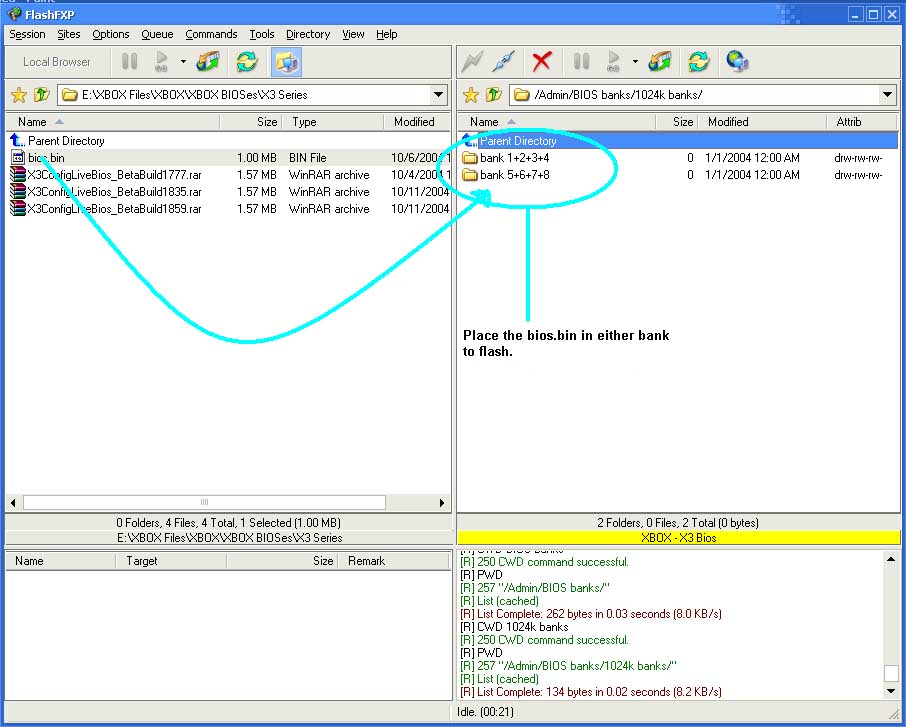
| Then go into the folder of the bank that you wanna flash and drag and drop the BIOS over and let the X3 flash. | ||||||||||||||||||
| Home Back | ||||||||||||||||||