
Building a Magellan 315 Data Transfer cable
NOTE: All information provide AS IS, and no warrenties are given or implied. I or any of the associated people on this page cannot be held responsible for any damage that occurs!
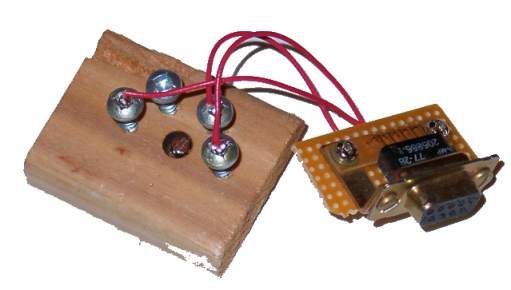
Here is how you do it:
Get a piece of thinish wood. Then drill one
hole in the center, this is where the center
bolt will go that holds the adapter on the
GPS. Then take a piece of paper and hold
it over the Mag315 back. make a drill template
out of this, and mark the location on the
center hole and the four metal contact pads.
Next take this pice of paper and put it on
your wood, aligning the center hole mark
with the hole already drilled hole in the
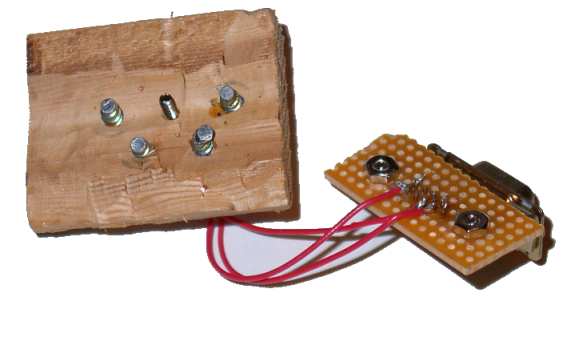
piece of wood. Drill four holes, where the
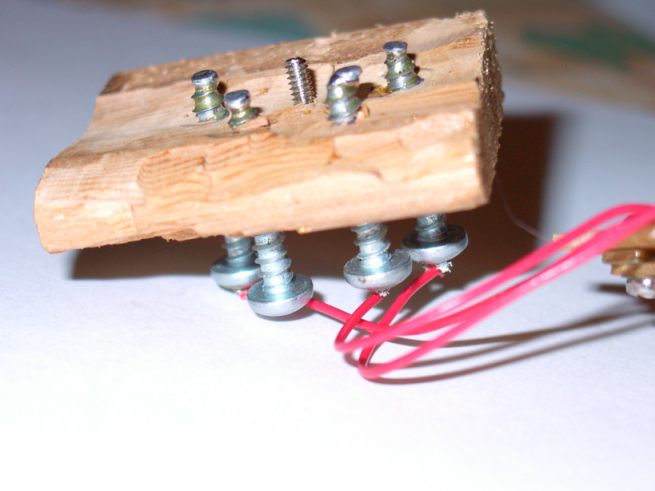
screw will go. Put the screws in, and check
the alignment of the four screws with the
metal contact plates. The screws are fairly
pointy at the end, and you don't want that
poking a hole in your GPS!! So file the ends
nice and flat, so that they won't poke a
hole in the GPS. Then I soldered the ends
of the screws, so there where balls of solder
on the ends of the screw. Then file these
balls of solder flat. The reason for this
is that the solder is a lot softer than the
steel, so the solder will make a better contact.
After you've done all this try to set up
the screws so they make contact with the
pads. Then solder the wires to the DB9 Female
connector. MadGPS provided this pinout, which
worked for me!!
**********************Start of MadGPS message**************************
use a 9 pin serial cable from a old mouse
cable.On the PC part of the cable,looking
at the cable pins ...
pin #2 : data out
pin #3 : data in
pin #5 : Grnd
In back of the GPS Mag315
3.8 V (+)---> O...O <---(-)Grnd
screw ..-------> o
data in ---> O..........O <--- data
out
Take the screw from the mouse cable where
it screws in the PC serial port.It fits perfectly
in the threads of the GPS.
**********************End of MadGPS message**************************
To