Download: msVertexPlane.zip (20 KB, Updated: 01/21/2003)
The plugin is labeled "Snap To Plane" on the Vertex menu.
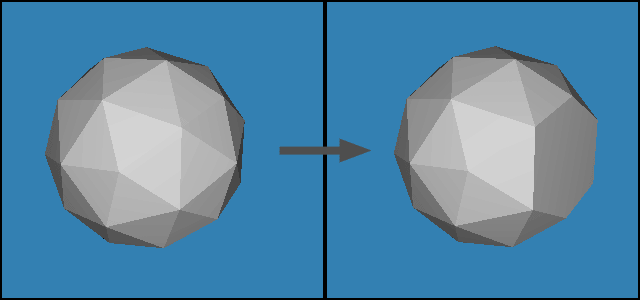
Flatten Tool Features:
Snaps all selected vertices to an average plane between all selected triangles.
Needs a minimum selection of 1 triangle and 4 points to operate.
Sorry, no fancy dialog box in this one :)
Directions:
Just copy the DLL to your Milkshape 3D folder, and start up Milkshape.
The plugin should show up on the bottom of the Vertex menu as "Snap to Plane".
Possible Future Updates:
May be changed to work without a triangle selection (just select the vertices to snap to an average plane)
To add a key shortcut to the plugin, you have to manually edit 'shortcuts.ini' in the Milkshape 3D directory. In the last section of the file (all the ms*** entries), add "msVertexPlane =1,". Make sure to add it in alphabetical order. Now you can use the Plugin and Shortcut manager (Tools menu) to set a key shortcut. Make sure to press "Set" after selecting the shortcut key.
Please report all bugs to cccp_99 AT hotmail DOT com , or post them on the Milkshape forums.
Author: Michael Udaltsov, aka "CCCP"
Back to plugins page