Download bootsector for Windows XP.
How to make Windows XP Bootable.
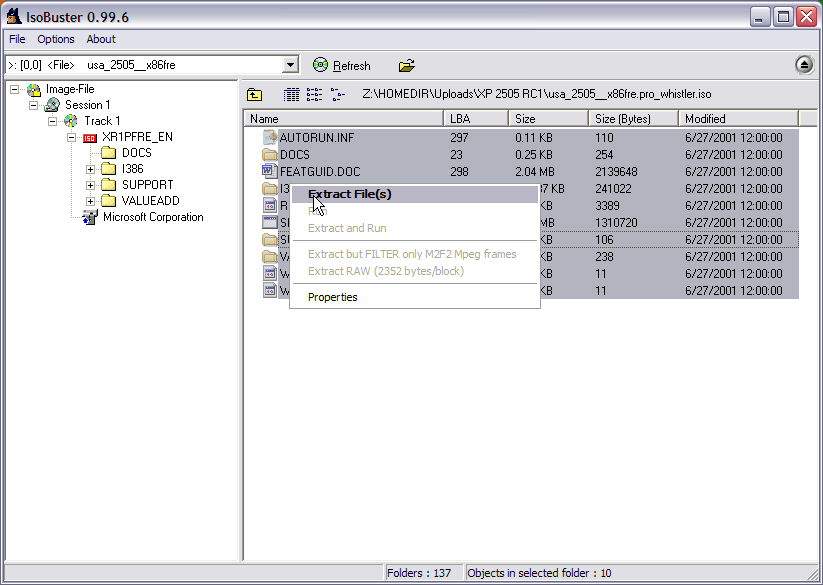
Extract the ISO with ISO Buster (or WinImage) to D:\WinXP
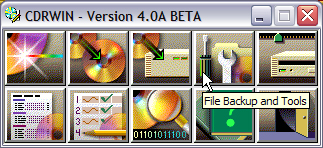
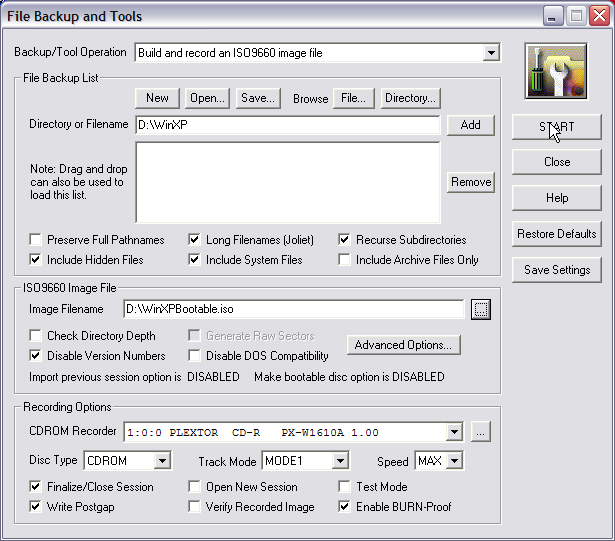
Start CDRWIN and choose File and Backup Tools on the menu.
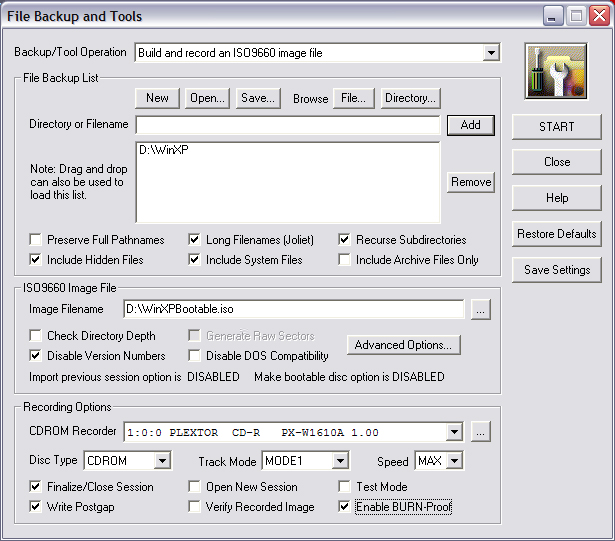
Once it opens, Choose Build and record and ISO9660 image file then put the checks in exactly as shown below.
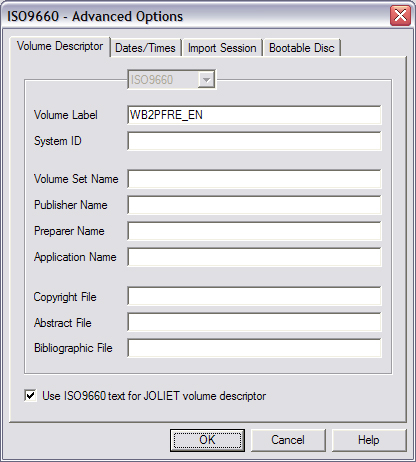
Now Click the Advanced Options Button. Click on the Volume Descriptor Tab and type exactly what is shown below.
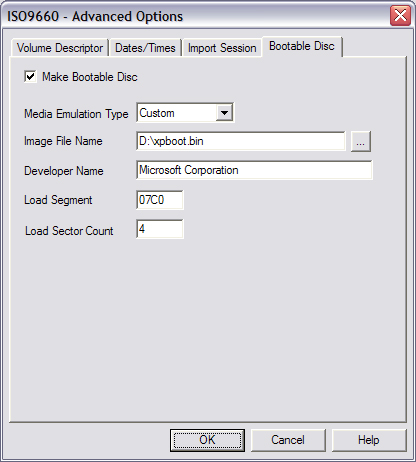
Click on the Bootable Disk Tab and do as follows.
Click Start.
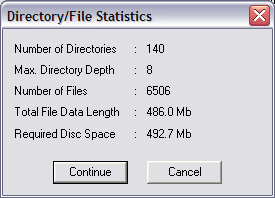
You should then see a box like the one below asking you to continue. Click the continue button and the process will begin. Once the process completes, you will have completed creating your bootable WindowsXP CD.
Back to Creating Bootable CDS.