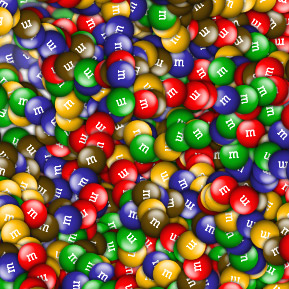
m&m nozzle
I created these m&m's in Photoshop. To use the nozzle in Painter:
- Click the nozzle selector button in Painter.
- Click the small arrow and select "Load Nozzle..." from the popup menu.
- From the same popup menu - again - select the "Add Nozzle To Library..." item.
- Enter a name for the nozzle and click OK.
- Now select "Set Nozzle Scale..." again from the same popup menu and make sure you set it to 100%. THIS IS IMPORTANT!
- Finally, go to the "Image Hose" brush library and select the "Spray-Size-P Angle-D" brush. (P=pressure and D=direction)
I personally don't like that the m&m's size changes with stylus pressure so in the brush editor I set the "Expression" to "None" in the "Size" section (Window > Brush Creator : Stroke Designer Tab > Size > Expression = None).
Make sure you use the nozzle with the angle expression set to "Direction" otherwise the m&m's will not rotate as you paint them (Window > Brush Creator : Stroke Designer Tab > Angle > Expression = Direction).
Now go and keep your dentist happy! :o)
Download (15KB)
(Right click and select: Save Target As...)