Create a CSG union and a box.
Left click/hold the box object and drag it over the CSG, release. It should now be inside the CSG.
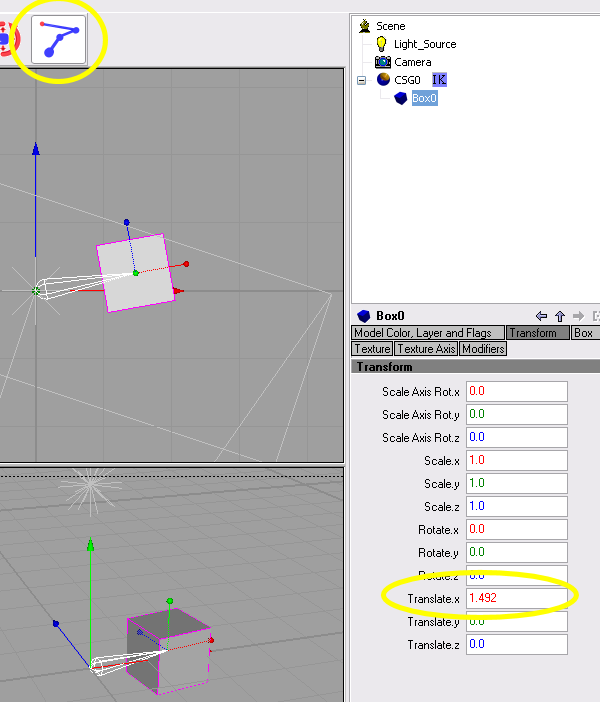
Right click the CSG, goto properties, IK and select. A small icon should appear beside the CSG in the object tree.
Select the box object, goto the Transform tab. Translate the box. ( this step is what makes everything work).
While the box object is selected, Select the 'IK Manipulator' icon on the menu bar.
A white wireframe should aprear in the View ports, left click/hold the small end and drag( the wireframe should turn yellow). This should move the box around.
File used to make this: IK_starter.zip 4kb Bishop3d 1.0.2.5b