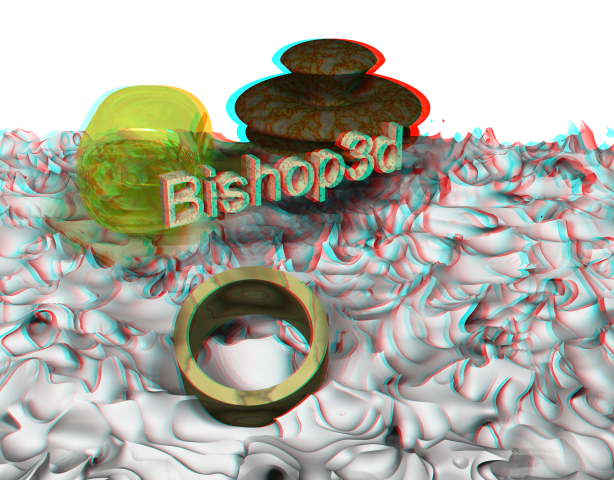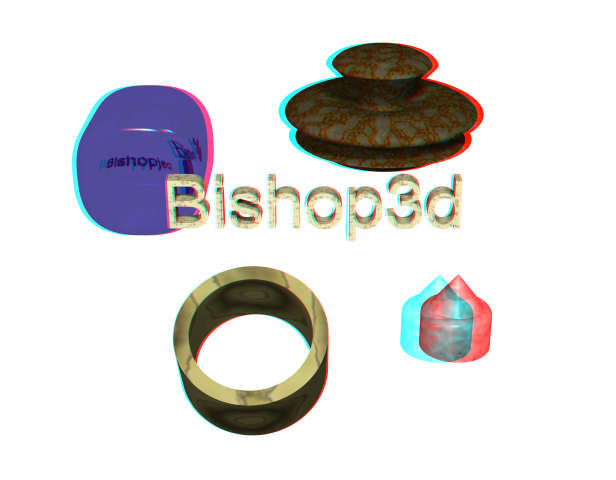
Bishop3d anaglyph sample using StereoPhoto maker
| Program | Version | Purpose | |
| StereoPhoto maker Freeware with restrictions |
3.22 | 3dpicture maker and viewer | Make anaglyph
(red/cyan) images. Combine 2 unique pictures from Bishop3d into one picture, and view with red/cyan 3d glasses. |
View with Red/Cyan 3d glasses.
Bishop3d 1.0.2.5b
StereoPhoto maker Version 3.22
Anaglyph_test_01.zip
5kb
anaglyph_test_01.bsp 1.0.2.5b
The scene is setup for a two frame animation.
Do not move the camera!
Select CSG0 and move this to compose the scene differently.
Render scene to generate the two pictures.
Open StereoPhoto maker
File/Open Left/right Images...
Select anaglyph_test_010000.png, hold down the 'Ctrl' key and also select
anaglyph_test_010001.png, Open.
Stereo/ColorAnaglyph/half color(red/cyan)
View/Normal Size(100%)
Adjust/Easy Adjustment...
At the top of the popup window is a horizontal slide controller
Move to about 24.
The lower front of the tube object should not show any ghosting. This is
the object closest to the camera.
Select 'OK' in the lower left to close this window.
If your happy with the 3d effect you can now save the image.
File/Save Stereo Image...
The default name is the first of the stereo pair images, in this example
'anaglyph_test_010000.png'.
You should change this so you don't over write one of your stereo pairs.
anaglyph_test_02.zip 5kb
anaglyph_tet02.bsp 1.0.2.5b
caution: reflective/transparent object over an isosurface = a
long time to render!