Jedi Knight 2
This small explanation is designed to help people go online with jedi knight 2. Its not quite finished yet though.
Part 1:servers and MODs
Firstly for all those noobs out there this is how to start playing Jedi Knight 2 online.
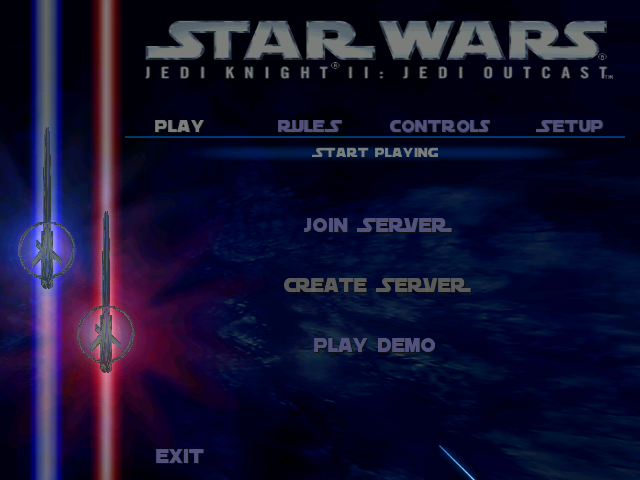
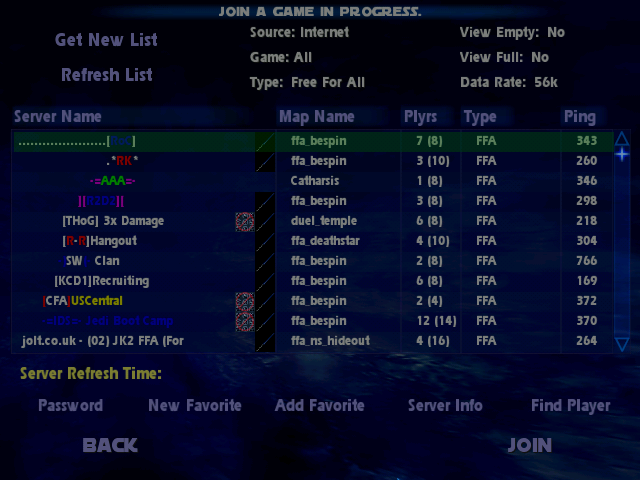
Fig 1 Fig 2
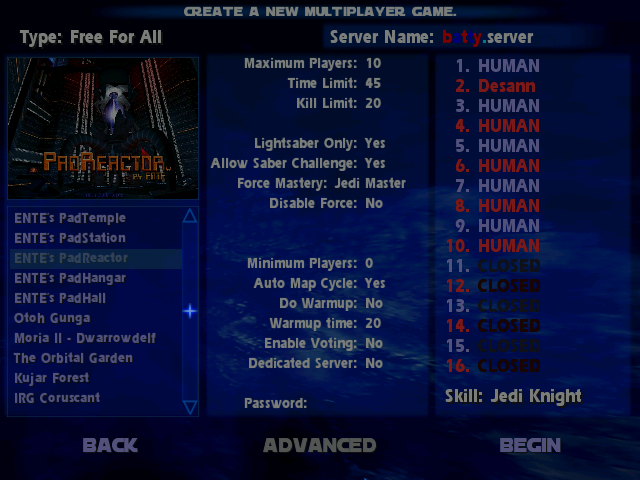
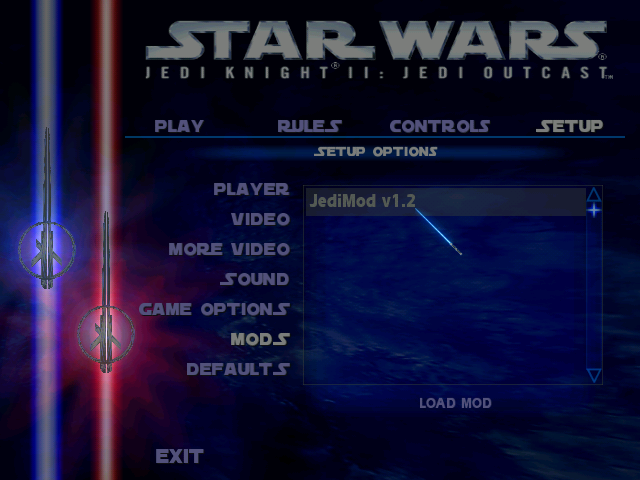
Fig 3 Fig 4
First lets go over the basics. Make sure you are connected to the internet before you start or you will not be able to play. Start up jk2 and go to the Multiplayer game. Click on play and it should look like Fig 1. Here you can either join another server or create your own.
Joining a server
If you choose join server then the screen should look like Fig 2. At the top where it says "source:" change it to "internet" unless you want to play on you own area. Change the "game" option to Jedi Knight 2 and you should change the "type" option to whatever type of game you want to play for example free for all or capture the flag.
At the top right you can choose wether or not to display full or empty servers. Switch them both to "no" and leave the "Data rate" option as it is.
In the big table there should be a list of servers (it will take a while to load). Some may have certain rules and regulations and some may be "lightsaber only" or "no force powers". You should choose one that suits your style. When you have found a server you like select it and click join.
Creating a server
To create a server choose "create server" from the play menu. You shoul be faced with a screen similar to Fig 3. This is where you decide what sort of server it is going to be.
In the top left You can change the type of game you will be playing and under that the map. At first there will not be a lot of maps to choose from but you can download more from jk2files but more on that later.
In the middle of the screen there are some options that you can change depending on the sort of game you want to play. You can do things like make it lightsaber only or disallow the use of force powers. You can set the maximum amount of players and wether or not voting will be allowed. Also there is an option called dedicated server. If this is switched on then you will not play in the server but it will be faster. On the other hand if you want to play you can switch it off.
Underneath that you can choose wether other people will have to enter a password in order to join your server (this option is best when you want to play with somwone you know at an arranged time). Finally when you have done this you can begin. Good luck and may the force be with you.
MODs
MODs or modifications are small programs that can change jk2 in a certain way. The MOD i use most enables you to use 2 lightsabers and use a special hilt. There are thousands of MODs out there, not just for Jedi Knight 2. There is probably at least one MOD for every game that has a multiplayer option. And you can find the very best MODs at www.jk2files.com.
As well as MODs you can download models, skins, maps a much, much more!
If you want to install a mod then you will have to download it and extract it into the "base" folder in your jk2 directory. It should be something like this:
C:\Program Files\LucasArts\Star Wars JK II Jedi Outcast\GameData\base
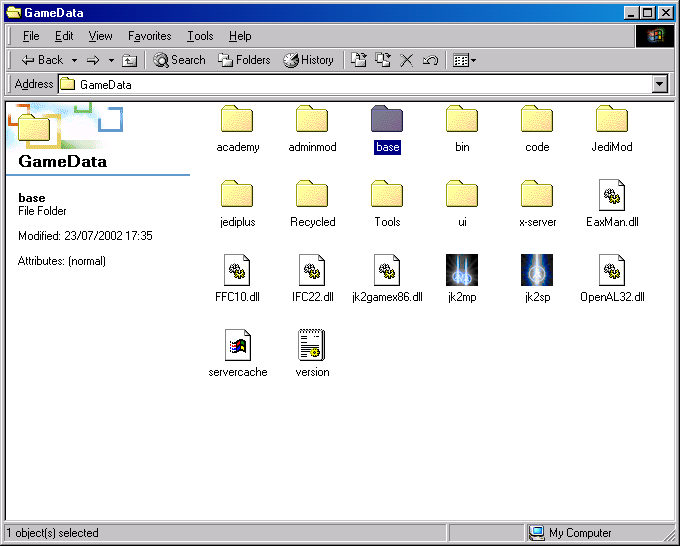
When you hav succesfully installed a MOD it should appear in the MODs menu (FIG 4) or if you have downloaded a map or a model they should now be in the correct menu.
Next>>
Home