|
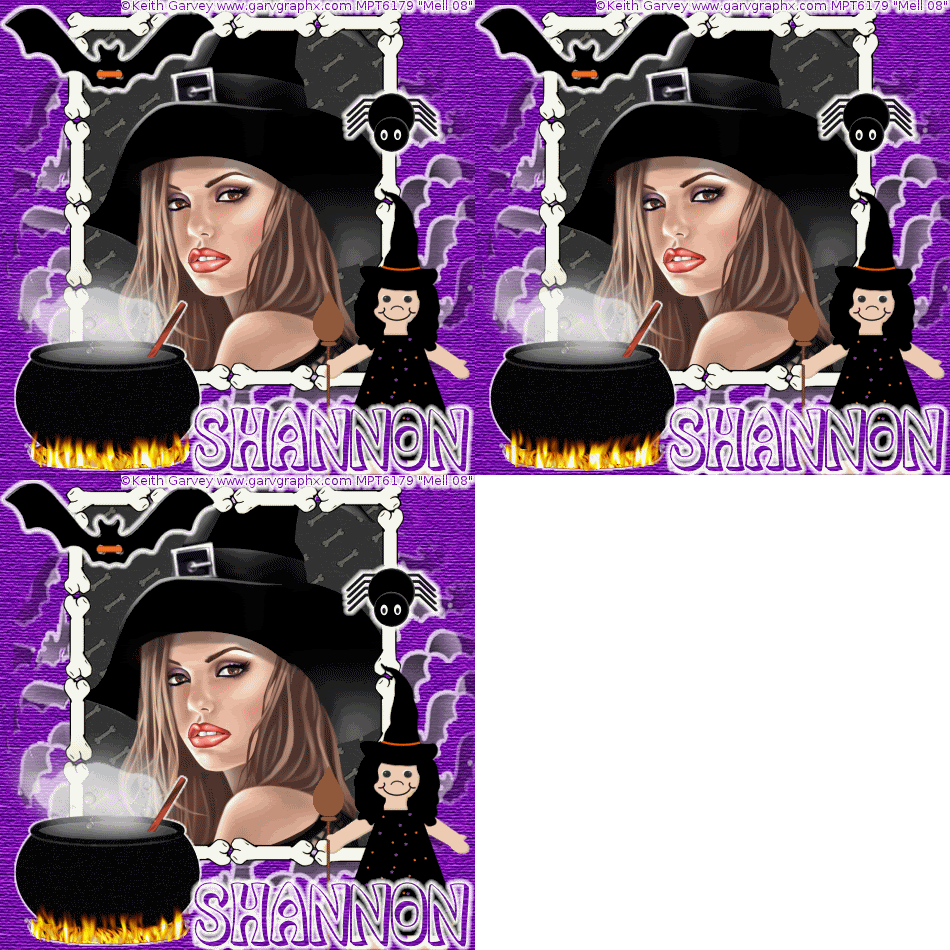
Witches Brew
Tools needed
PSP- I used PSP 9 but it should work with all.
Animation Shop
Filters- Mura Meisters Copies, Eyecandy 3 Glow
Tube of choice: I am using the art of Keith Garvey who is a PTU artist at MyPSPTubes. You must have a license to use his art.
Font/s of choice: I used SmokeHausShadow which you can download from Fonts101
Scrapkit of choice: Im using a kit called Halloween Kit 08 made by Shannon of Butterfly33 Digital Designs and can be purchased from Memory Junkies.
Let's Start Shall We!
1. Open up a new transparent image 475 x 475
2.Copy and paste a frame of choice as a new layer and resize
3. Magic wand inside of your frame, selections, modify expand by 5
4. Copy and paste a paper of choice as a new layer.
5. On your frame layer go to selections invert and hit delete on the paper layer. Select none and move the paper below the frame.
6. Magic wand inside of the frame again, Selections, modify expand by 3.
7. Copy and paste a close up tube of choice as a new layer, Position.
8. On your frame layer go to selections invert and hit delete on the tube layer. Select none and move the tube below the frame.
9. Copy and paste a bat of choice as a new layer. Resize so its small and use the following Mura Meisters Copies settings

10. Now give it a gradient glow. I used Eyecandy 3 Glow 3,100,Fat and white
11.Layers, load mask from disk and select your mask. Click ok.
12. On your layer palette, delete the mask layer and merge group. Move your mask to the bottom
13.Copy and paste a cauldron as a new layer, resize and position in one of the corners. Give it a gradient glow.
14. Select your freehand selection tool and draw around the fire at the bottom of the cauldron, Duplicate 2 times.
15. On your first layer go to Eyecandy 3 Fire and use the following settings

16. On your second layer, repeat the settings but change your random seed. Repeat for the third layer and change random seed.
17. On your layer palette, hide the duplicates.
18.Add some embellishments of choice to your tag.
19. Add your �Information and any licenses you may have
20. Add your name and any other text of choice
21.Flood fill the bottom layer below your mask with a color or paper of choice.
22. Edit Copy merged.Open up Animation shop and paste as a new animation
23. Back to psp, on your layer palette hide the first cauldron layer and unhide the second, Edit copy merged and paste after current frame in animation shop.
24.Back to psp, on your layer palette hide the second cauldron layer and unhide the third, Edit copy merged and paste after current frame in animation shop.
25. View Animation
26. File save as and follow the prompts if you are happy with your tag
Your Done!!
Thankyou for trying this tutorial
This Tutorial was written on the 14th October 2008 by Mell aka Babylicious36
ALL TUTORIALS ARE REGISTERED WITH TWI.
This tutorial is written using my imagination and is in no way copied from any other tutorial. Please do not Steal.. You may print this out for future use.
This page was assembled by Mell aka Babylicious36
Artwork � Keith Garvey www.garvgraphx.com MPT6179 | 