|
Spring Fling
Tools needed
PSP- I used version 9 but it should work with all.
Filter- Penta-Dot&Cross
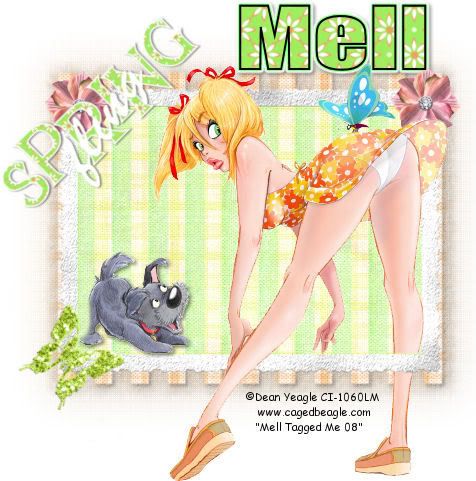
Tube of choice- I used the work of Dean Yeagle. Dean is a PTU(pay to use) artist and you can buy his work at CILM.You must have a license to use his art.
Scrapkit- Spring Fling which can be found HERE
Flower and Butterfly embellishments can also be found at Sentimental Style
Scrapkit is used with permission from Melissa at Sentimental Style
Mask- I used WSL_Mask185 which can be downloaded at the link HERE
(Mask is used with permission from Chelle at Weescotslass)
Font of choice-I used Impact
Ok.Lets get started..
1. Open a new image 550 x 550 and floodfill with white
2. Open up paper of choice and paste as a new layer
3. Layers, new mask layer from image, find your mask and click ok
4. delete mask layer and merge group. give a slight dropshadow
5. Layers duplicate, move the duplicate down, blur 20.00
6. Filters- Penta-Dot and Cross with following settings.

7. now back to top layer, copy and paste photo border as a new layer and resize by 90%
8.Magic wand inside of it and copy and paste paper of choice as a new layer, move it below your frame.
9. On frame layer, selections invert and click delete on paper layer and move the blend mode to lighten.
10. Add any embellishments of choice.
11. Copy and paste tube of choice, resize and give a drop shadow if you want.
12. Add the word art
13. Add any text you like..I used Impact setting 60 2.0,black as foreground and a paper as backgroun
14. Add � Information.
15. Crop and Resize if necessary
YOUR DONE!
This Tutorial was written on the 11th March 2008 by Mell aka Babylicious36
This tutorial is written using my imagination and is in no way copied from any other tutorial. Please do not Steal.. You may print this out for future use.
This page was assembled by Mell aka Babylicious36
Artwork � Dean Yeagle CI-1060LM | 