Instructions for building driver card :
This cards function is to decode and amplify signals from master
controller
Component list for SWCTL8R2
IC1-IC3
7404
IC4
74154
D1
1N5404
T1-T16
BC546
D1
1N5404
T17-T32
BD135
R1-R16
1K Ohm (brown,black,red) 1/4 Watt
R17-R32
82 Ohm (grey,red,black)1/2 Watt
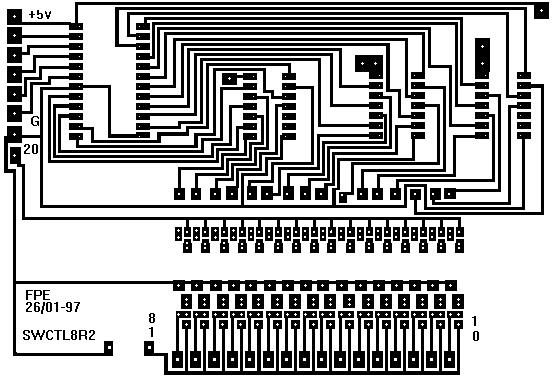
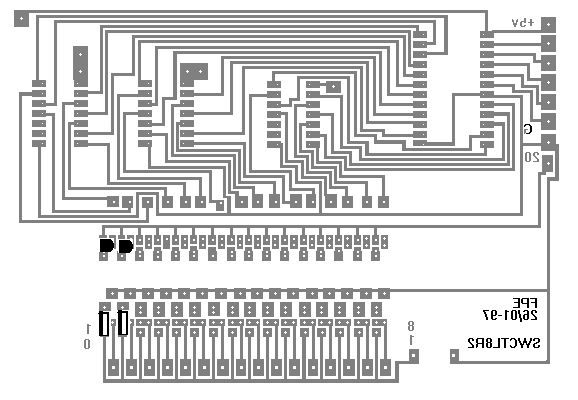
Printet circuit board layout from soldering side:
Unfortunately, both Netscape Communicator and Microsoft Internet Explorer does not handle
GIF pictures very well. Therefore, I suggest that you download swctl8r2.bmp instead.
Load it into Windows Paint and print it on a Laser Printer with size 97% (This is how I do it
you might need to select another size) Then you are ready to photocopy it onto the PCB, and
etching. After etching you need to drill all the holes. I use 0.7 mm holes, except for the
connectors where I use 1.2 mm. swctl8r2.bmp
Soldering step 1.
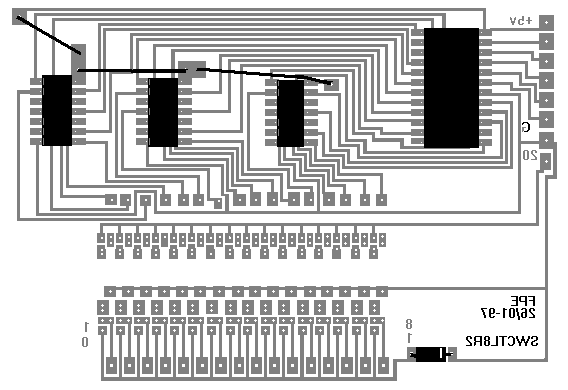
This is a picture of the component side of the PCB.
Wires are shown as black lines - only solder at each end of wire
Components for step 1 is shown in black
The upper right big black rectangle is IC4 74154
The three smaler ones to the left are IC1 - IC3 7404
The lower small one are Diode D1 - 1N5404
Start by soldering three wires as shown on the picture above
Mount Sockets for IC1, IC2, IC3 and IC4 - Make shure Pin 1 is to the
upper left
Mount diode D1 - make shure cathode ring goes to the right
continue with step 2
Soldering step 2
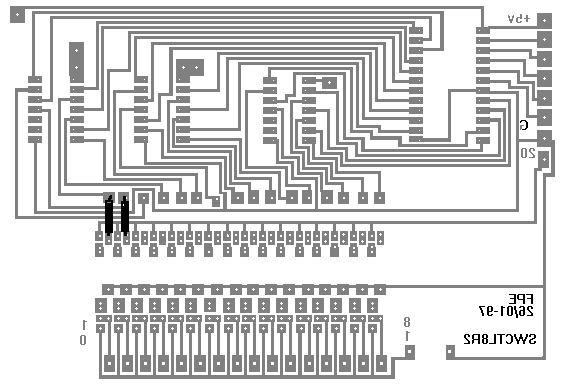
This picture shows R1 and R2
R3 - R16 is not shown, R3 should be mounted to the right of R2 etc.
Mount R1 - R16
Soldering step 3
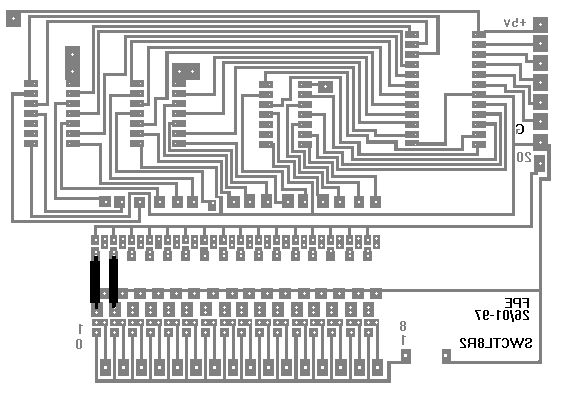
This picture shows R17 and R18
R19 - R32 is not shown, R19 should be mounted to the right og R18 etc.
Mount R17 - R32
Soldering step 4
This picture shows T1 and T2 (BC546) , and below T17 and T18 (BD135).
T3 - T16 is not shown but should be mountet to the right of T2.
T19 - T32 is not shown but should be mountet to the right of T18.
Mount T1 - T16, make shure flat side goes to the left.
Mount T17 - T32, make shure heat metal(botom) goes to the left.
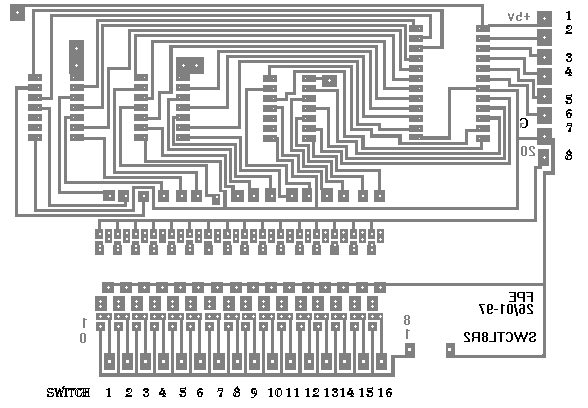
Connections
this picture shows pin numbering for card
Lower edge from left : Switch 1 - 16
Right Edge connector from top 1 thru 8
 get your own Free Home Page