This page should provide some help to people who are new at using graphics on their web site.The first thing I'm going to tell you about my graphics ability is that I am an amateur, but I have a few friends who are good with graphics. I realized that I had to know some basics in order to use any graphics on a web site, without looking like a total fool when I decided to make My Nature Page . Graphic development on the web has taken two paths since the early days way back in the last century. Some very good and creative developments have taken place, unfortunately the commercial scum bags have also invaded. Thanks to the WYSIWYG editors and programs like Flash and Shockwave, 90% of the graphic content is nothing more than a waste of web space and bandwidth. The concept of enabling anyone who can click a mouse to put pictures of their friends, family and pets on the web is good, however something more should be done to help stop these people from using a 500kb file when the exact same picture can be displayed using a 50kb file. At least visitors here will know about this site which will enable almost anyone to fix their pictures before using them on a web site. The next thing which I think is appropriate to show you is what the vast majority of my work with graphics looks like. click here
Yes this is exactly what the work looks like, dull boring, black on gray text files, and a lot of removing my failures from the recycle bin. Just like any other aspect of using a computer, the best way to accomplish what you want to do with graphics is RTFM. People who are actually good with graphics use Adobe Photoshop or Paint Shop Pro, or some other expensive complicated program, however for the other 90% of you who want to put pictures on a web site MS Paint will do everything needed. Since the release of Windows98, paint does support the file types you need for the web, .gif and .jpg if you are unable to get anything except a .bmp using paint go to the microsoft site and look up the fix. The most common error causing paint to loose the other file formats happens when MS Office or Word is used. Another important aspect of using graphics on the web involves using the proper use of html tags and the WYSIWYG editors have a habit of being a little off so it's back to RTFM if you want to get things to display correctly and load fast. Ok back to the pretty colors before you get too bored and forget this page is about GRAPHICS. click here
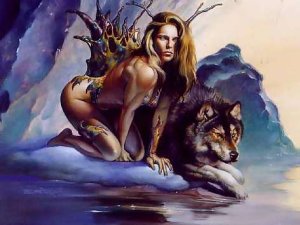
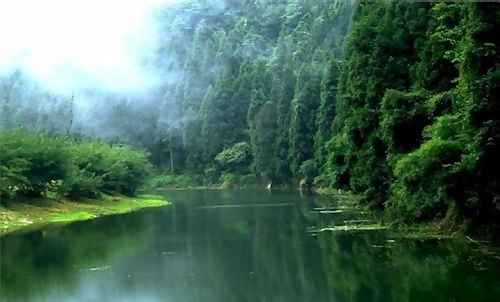
The picture at the top of this page is actually two pictures, the bottom picture has the water drops effects which runs from a java applet. This is mostly copy and paste with some minor editing. There are 40 applets and a wizard program to use them for free here (the wizard is bloatware) with a little practice the applet instructions are all you should need. Now that you know the top picture is two pictures, I can tell you that the three pictures below are one picture. Html tags are used to manipulate one file to make it appear as three different pictures. The picture in the middle is the actual size, height and width values in the html tag are what changes the size displayed by a browser. This picture is compliments of Lady Oh, who unfortunately has passed away and her graphics site is gone. Her site was the best I ever found with free graphics and instructions on linking directly to thousands of her images. She will truly be missed by many people.

Below is an example of another method web sites use to manipulate graphics. This is known as an image map. The original picture is cut up like the pieces of a puzzle, then displayed as one picture. This allows each piece of the puzzle to link to a different page and display a different caption when your mouse points at them. Using an image map will also force a person to save all the puzzle pieces to get a copy of the graphics, a much better method of protecting the pictures than those annoying no right click scripts. This page uses an image map with ?? different pictures (you count them and don't forget the ones that light up is actually a different picture called up by the script). My friend is also a moderator for a fairly new bulletin board which should be able to answer any of your graphics questions. When using an image as a link remember to include border=0 in the tag so that the picture is not outlined by a __________________that looks funny.
Next just a little bit about animation. Most people prefer to use an animation program. You should be able to find PSP or some other animation maker here . There are also some free online services for animations and banners here or here or here . Animation can produce some large files and are more difficult to work with. Once again the best advice is RTFM and practice. My banner comes in Black, White, Red, Blue,, and Green. Top
Below are examples of my banners if you want to save a copy to link to my site, or you can just copy the color coded html code below each banner, and paste it into your html. <center><a href="http://sheenada.i8.com"target=blank><img src="http://sheenada.i8.com/pix/bkcaves.gif width=460 height=55 border=o alt="Sheenada's Caves"></a></center> <center><a href="http://sheenada.i8.com"target=blank><img src="http://sheenada.i8.com/pix/wcaves.gif width=460 height=55 border=o alt="Sheenada's Caves"></a></center> <center><a href="http://sheenada.i8.com"target=blank><img src="http://sheenada.i8.com/pix/rcaves.gif width=460 height=55 border=o alt="Sheenada's Caves"></a></center> <center><a href="http://sheenada.i8.com"target=blank><img src="http://sheenada.i8.com/pix/bcaves.gif width=460 height=55 border=o alt="Sheenada's Caves"></a></center> <center><a href="http://sheenada.i8.com"target=blank><img src="http://sheenada.i8.com/pix/gcaves.gif width=460 height=55 border=o alt="Sheenada's Caves"></a></center>
Using graphics as skins to customize the appearance of programs is popular, although most skins and themes work to slow down a lot of programs. Cheetachat7 uses themes which don't seem to slow it down of course it is a ßeta and only comes with the default. This page has screen shots of two that I made from my avatars. The download has both themes for your Cheetachat and some information about doing the same thing to Windows Explorer, Internet Explorer and Outlook Express, which also can use a skin without loosing speed. Shels has some cheeta skins here. Cheeeta now has over 100,000 avatars which are all public domain, but if you really want to submit more, this page has a big collection of avatars, which all meet the specs to be approved. Top
There are thousands of web sites that offer free graphics, so I'm not going to link to any now that Lady Oh's is gone, use a search engine. Remember that using the proper html tags have a lot to do with getting your web site graphics to load fast and look good, so RTFM here and good luck!!