|
|
|
|
UltraPaint: image editor for Windows |
|
|
|
|
|
UltraPaint: image editor for Windows |
|
I have written a new beta 6 you can try, with a few bug fixes, but I'm sorry to say a new bug or two. I have not updated the large installation (above) with beta 6. However, you can still use the large installation with beta 6; simply download and install the large edition, then replace the .exe file with the one from the following link:
Notes:
Features Include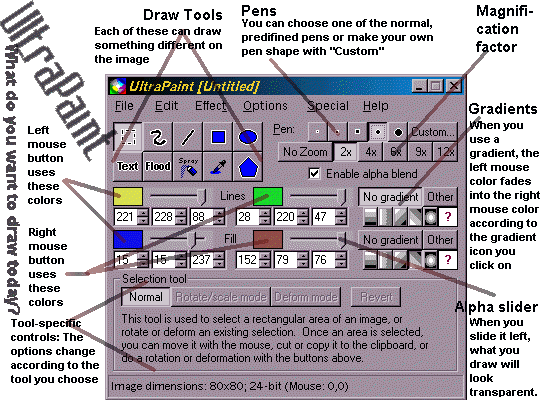
- Blur (blocky or fuzzy)
- Negative
- Grayscale with hue/brightness exclusion
- Color swapping, find-and-replace
- Primary color component swapping
- HSL effects—adjust hue, brightness, contrast, saturation; find the optimal brightness for a given image
- Select mode selects a portion of the image rather than drawing
- Draw and select mode generates a selection in a layer on top of the image, rather than drawing directly on the image.
- Built-in top-to-bottom, left-to-right, diagnal, circular gradient modes
- Use another bitmap as a gradient

