3) Preview
and print the invoice
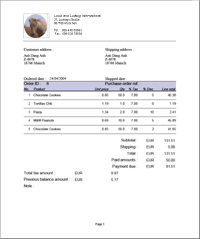
In this step, you will see how your invoice will look
when printed. To print the invoice simply click the "Print"
button.
To include your company's logo and address on top of the
invoice :
- Open the folder where you have installed Invoice
Master.
- Open the Resources/Images folder
- Paste your logo in it.
- Enter your logo name into the settings, simply go
to "options" and select the "Preferences"
Click
here to see an example
|