DXR2 HOWTO, GDVD/GDXR2 Gnome DVD Player for Linux
March 04, 2000
This site is STRICTLY A MIRROR site of an old and DEAD project. It is no longer being maintained by me. If you want to download the source from this mirror and alter it to your purposes please feel free to do so. I simply no longer have the time for this project. Thank you.
-John Robicheau.
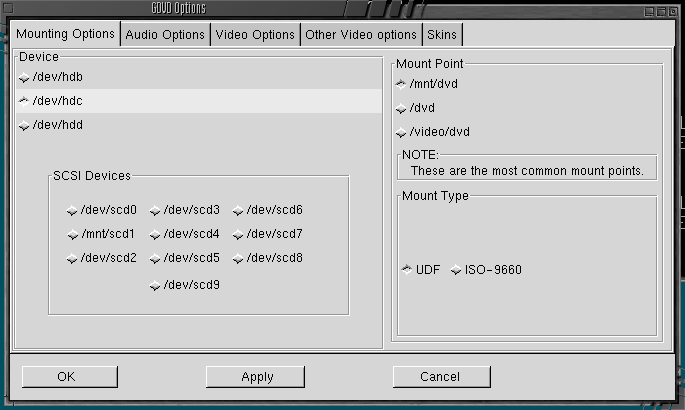
March 8, 2000: Added /dev/scd0 - /dev/scd9 for those SCSI DVD users.. :)
March 4, 2000: Need more time for project (or new job). Going to start working on skins for GDVD soon.
Feb 27, 2000: Finally some Help! Have a maintainer for this site so I can continue on other things (like developing GDVD). Steve Norton has volunteered his time to maintain this site for a while. :) Thanks Steve!
Feb 21, 2000: Formatted Drive and switched to SuSE 6.3 (so far I like :) Was able to compile GDVD after installing gnome libs from the below RPM's.
Feb 19, 2000: It was reported to me that GDVD works in Slackware 7, unmodified! Kudos to Tyler Chung for reporting this one!
Feb 16, 2000: GDVD for SUSE 6.3 Now Here!
Feb 14, 2000: DVD DataBase working!
Feb 10, 2000: It has been a while since I have worked on GDVD. I have been very busy with work, and have not had the time. But I promise you the next thing that will be added is the DVD Database, so you can save settings for individual DVD's and call them up by selecting a DB entry. Work on this has already begun :)
No DXR2 Card?
Click here to see how many DXR2's are available on EBAY!!
The DXR2/Encore 5X DVD HOWTO
Creative DXR2/Encore 5X DVD HOWTO
Be advised that this is a work in progress... I am trying to get it complete as fast as I can, so please do bear with me.. :)
Ver 3.1b
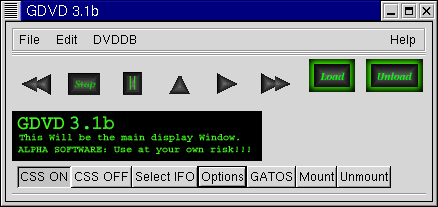
GDVD is a Front End GTK Wrapper for 'dvdplay' by Andrew de Quincey and Lucien Murray Pitts. This is NOT the player nor is the player included, please see the links below for how to get 'dvdplay'. This was a work inspired by the gdxr2 player by Michael R. Eckhoff, and is still included here on this site.
Anyone who downloads this software should also subscribe to the dxr2-devel mailing list, any issues you may experience with GDVD may be problems your are having with "dvdplay" on your system. GDVD is only a wrapper.

4 Peguins from Tucows Linux!
By Popular Demand: The downloads.
Download the latest snapshot of GDVD here: GDVD 3.1b
NEW!: Port of GDVD 3.0 for SUSE 6.3 Now available for download!
Thanks go out to Thomas Haase for the work on this.
DownLoad GDVD 3.0 for SUSE 6.3 : This is the same as the above Red Hat Package.
Required RPM's for SuSE to compile correctly:
gnome-libs-1.0.40-1.i386.rpm
gnome-libs-devel-1.0.40-1.i386.rpm
You may have to install the libs with the 'nodeps' option. (this is what I had to do to get the compile to work on my SuSE 6.3 box).
Working features:
- Feb 14: DVDDataBase working! You can add your collection of DVD's to the list, and retrieve the settings according to DVD Title. Saves DB file to /etc/gdvddb.conf.
- LONG OVERDUE: The much awaited config file /etc/gdvd.conf... detects wether or not it exists at startup, then creats a default file. After that, the settings are yours to make. :)
- Toggle buttons fixed! They now remember their set state This will now allow me to move on to the user config files and DVD settings database! :)
- Play, stop, pause
- Chapter forward, chapter back
- Direct launcher for GATOS (General ATI Overlay Software)
- DXR2 Module Load/ Unload
- Mount/Umount of DVD rom drive in UDF filesystem or ISO-9660 (for VCD's)
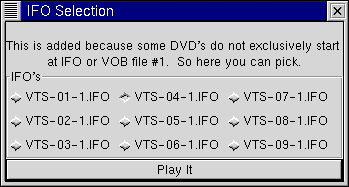
- Selection of what IFO file you wish to play (some movies start at 2, others hide widescreen versions at other numbers)
- Angle Selection (kind of - still kinking out a bug or 2)
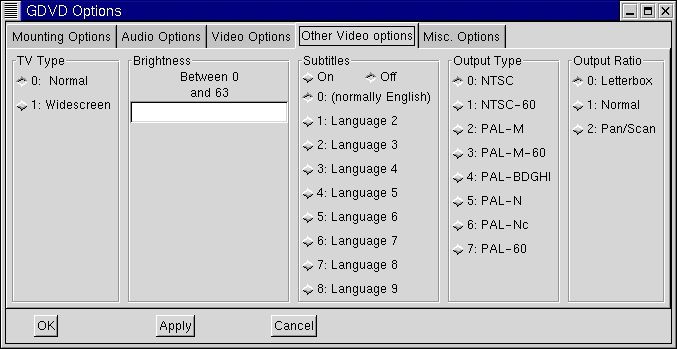
- Subtitles - OFF/ON and select language.
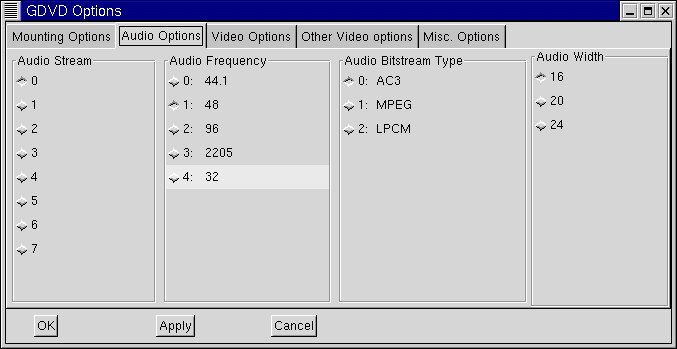
- Audio Stream selection
- Player status detection almost fully working - couple of bugs, working on Logic.
- VGA Overlay - ON/OFF selection working.
- CSS - ON/OFF
- Sucessfully detects DVD mount status when hovering over the play button! If you try to press play without having a mounted DVD in the drive, you will know. :)
- By request: added 5 more slots for languages in the subtitle section.
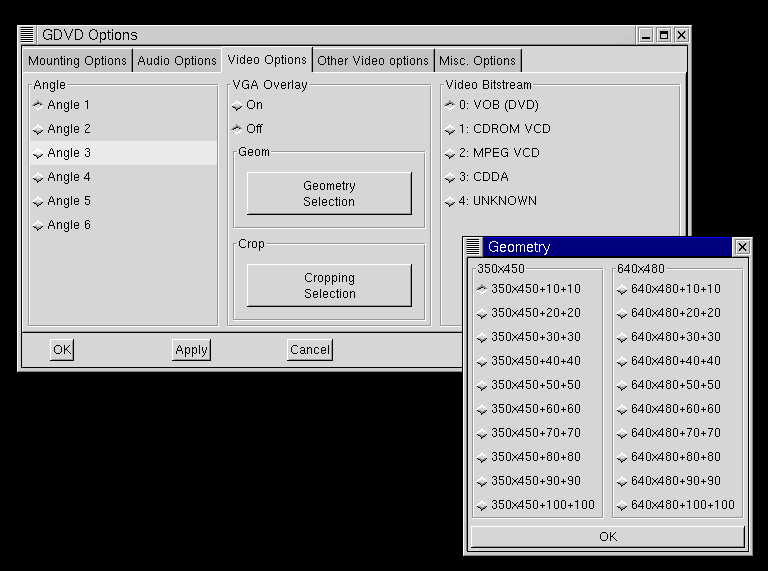
- All options except for the Cropping, and Brightness can be set from the options panel.
- Introduced a few more bugs. :)
GDVD to do List
- GUI : Almost Done
- Include API code into the player (as soon as this becomes and option)
- Add a display panel with pretty graphics showing the play status (LCD looking panel maybe?)
- Make the GATOS feature an OPTION, Not coded into the player.
- Perhaps add OSS (onn/off) support in options as well.
- Enable the File Selection Dialog. (Currently Not Working)
- Port it to other Distros, (Suse, Caldera, Free BSD, etc)
gdxr2-ALPHA: The GNOME DVD Player by Michael R. Eckhoff
Later today this site will have the ALPHA version of gdxr2 for download! The first GNOME DVD player for the Creative DXR2 / Encore 5X.
Download it here - Version 0.2a
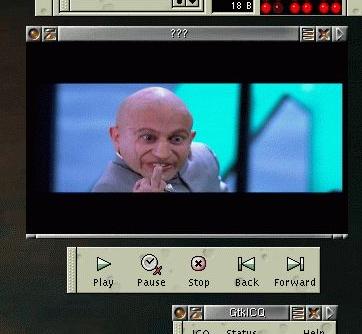
Click here for a screenshot!
Multi Angle DVD issue fixed!
I had gone through all of this kernel patching, downloading and re-compiling, and then I found that a few of the DVD's that I own just would not work. What they would do would start OK, then as soon as the credits would begin, the sound and video would skip. For a while I fought with every command line argument, nothing would work.
Turns out it was an issue with the IFO file parsing, and the way that it handles multi-angled DVD's. What was actually happening with the DVD was that the opening credits would start in English, then the same scene would be repeated in French. It was trying to play all of the angles on the DVD!
The guys on the Dxr2-devel mailing list came through on this one and within one day of first reporting this issue they had the fix in place, the correct use of the 'T' option.
Now to play a DVD try this:
# dvdplay(-curses) -cTx


'x' = the # representing the file you wish to start with.  If the movie


      starts with the file VTS_01_0.VOB then 'x' would be be '1'


   VTS_02_1.VOB  = 2


   VTS_03_1.VOB  = 3


 ... and so on.


***NOTE: Some DVD's do not have an IFO file for every chapter.


If this is the case then use:


# dvdplay -c(T) /mnt/dvd/VIDEO-TS/VT_0x_y.VOB


to manually play the specified file.
What this does is searches the MOUNTPOINT (set in dxr2player.conf) for "VIDEO_TS/VTS_0x_1.IFO", parses it, then plays the VOB files according to the IFO.
If your mount point is incorrect or the DVD is not mounted un the UDF filesystem this may not work.
Some GNOME Icons
Here are a few icons I made to go with the shell scripts I wrote to simplify things... feel free to use them for your GNOME as well.
     
|
|