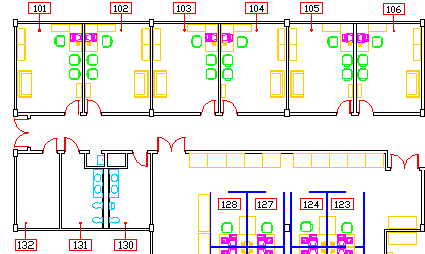
Globally changes of text height of room numbers to fit the room tags:
Changes properties of multiple texts.
This CHTEXT.LSP is adopted from AutoCAD R14's Bonus Tools.
Command line: cht
Select objects: Use an object selection method
Height/Justification/Location/Rotation/Style/Text/Undo/Width: Specify an option
Options
Height Specifies a value to change height of individual textual objects, list an object's current height or globally set a new height for all textual objects if multiple items are selected.
Justification Specifies an alignment or accept the default <?> to display alignment options.
Location Prompts to pick new text location for each selected text object.
Rotation Specifies a new rotation angle for all text objects.
Style Offers option to enter a new existing style name for all text objects.
Text Opens the Edit Text dialog box to edit Individual text lines or prompts at the command line when Retype is selected. Global first prompts to Match String, then requires specifying a New String.
Individual Specifies selected option change for each individual text line.
List Displays information specific to selected option.
Usage Example: Changes text height of multiple texts.
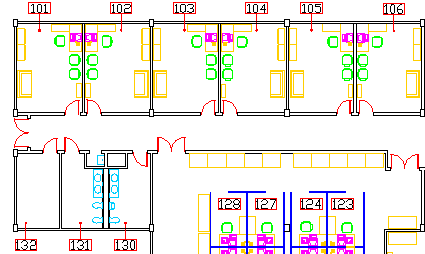
Original text height of room numbers were too tight inside the room tags:
Globally changes of text height of room numbers to fit the room tags:
< back / acad_ut / acadmaster >