IN NETSCAPE
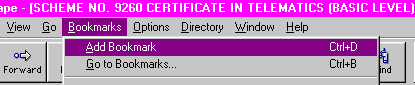
Go to Bookmarks on the top menu bar and choose Add Bookmark. When you wish to visit a site you have already bookmarked, again open Bookmarks, a list of saved bookmarks will be displayed, click on the name of the site you want to re-visit and your browser will connect to that site.
IN EXPLORER
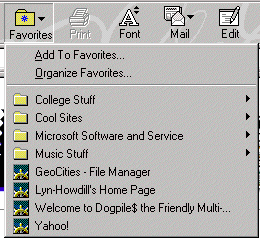
Click the favourite button and choose Add to favourites. When you wish to visit a site you have already saved as a favourite, again click the favourite button, a list of saved sites will be displayed, click on the name of the site you want to re-visit and your browser will connect to that site.