IN NETSCAPE
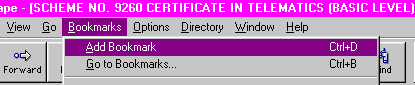
Go to Bookmarks on the top menu bar and choose Add Bookmark. When you wish to visit a site you have already bookmarked, again open Bookmarks, a list of saved bookmarks will be displayed, click on the name of the site you want to re-visit and your browser will connect to that site.
IN EXPLORER
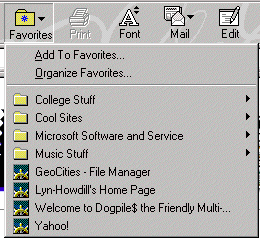
Click the favourite button and choose Add to favourites. When you wish to visit a site you have already saved as a favourite, again click the favourite button, a list of saved sites will be displayed, click on the name of the site you want to re-visit and your browser will connect to that site.
Now you have searched for information on the internet you should be able to complete the live assignments which will be used in your portfolio.
Go to Element 1.2