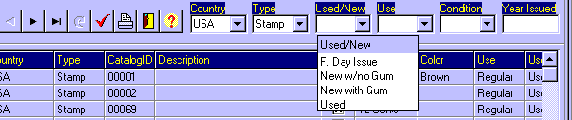
On some screens you have Selection Fields like Country, Type, Used/New, Use,
Condition, Topic, Year, etc.
They are combo-boxes, filled with the values you have filled on the database
files.
You can select some or all of them, and then click on the Select Data Button.
Then it�ll be presented a list according to your selections.
Selection Fields / Filter Fields