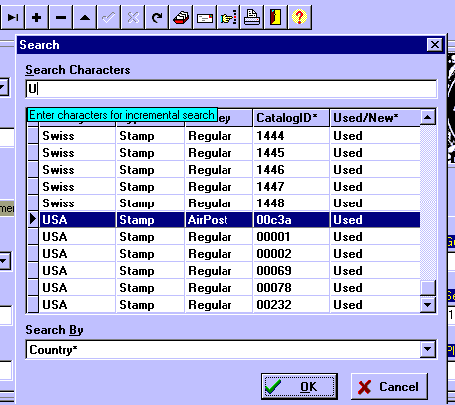
Global Stamps has a function to make it easy and quick to find a Stamp record!
On the Stamps tab screen, click on the
You can select the field for the quick selection, like Country, Type, etc, and
type the search characters to the field. Then you can quickly search over the
records, using Page Down / Page Up keys or with the side bar, or using arrow
keys. After you find the stamp you�re searching, then select it and click the OK
Button. You�ll be tranfered to the Stamps Tab screen, showing the data from the
selected stamp.
Quick Search Dialog to find stamps
 Quick Search Button , and you get the following dialog: