

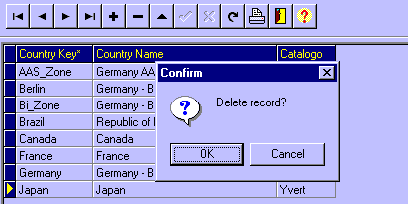
To exclude a record, select the record clicking on any of it�s fields, and
then click on the Exclude Record Button of the Navigation Tool Bar. The program
will then open a dialog box to ask you to confirm the delection.
Exclude a record
 You can only delete a record if there is not other table record that is using
this information.
You can only delete a record if there is not other table record that is using
this information.
